
About Midjourney Stats
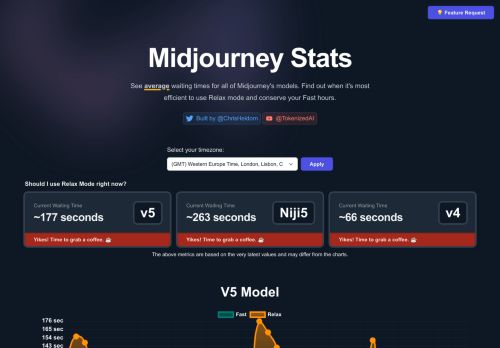
Midjourney Stats tool provides users with information about the average waiting times for each of Midjourney's models. It also determines when it is most efficient to use Relax Mode in order to conserve Fast hours. The user is able to select their timezone in order to receive the most up-to-date information. It will then provide advice on whether or not it is recommended to use Relax Mode at the current time, alongside the average waiting time for each model.
Based on 4 verified user reviews — Average rating: 4.25/5

@kathrynrivera7646
TurkeyMidjourney Stats is promising. A couple of features are missing, but the core is strong.

@amyreed6543
TurkeyI have been using Midjourney Stats for a few weeks on real client work, not just demos. The first week was mostly learning prompts and figuring out which templates stick. After that, drafting time dropped noticeably — especially for outlines, email replies, and first-pass summaries. It is not flawless: long documents sometimes lose structure, and I still fact-check anything important. Still, for a busy week it has become one of the tools I open without thinking. If you already have a clear workflow, Midjourney Stats fits in cleanly. If you expect magic with zero editing, you will be disappointed. For me, the time saved on the boring middle steps is worth it.

@jacquelinesanchez331
TurkeyI have been using Midjourney Stats for a few weeks on real client work, not just demos. The first week was mostly learning prompts and figuring out which templates stick. After that, drafting time dropped noticeably — especially for outlines, email replies, and first-pass summaries. It is not flawless: long documents sometimes lose structure, and I still fact-check anything important. Still, for a busy week it has become one of the tools I open without thinking. If you already have a clear workflow, Midjourney Stats fits in cleanly. If you expect magic with zero editing, you will be disappointed. For me, the time saved on the boring middle steps is worth it.


@margaretlewis6051
TurkeyDetailed take after daily use: Midjourney Stats is strongest on speed and decent on quality when the brief is clear. I tested it against two alternatives on the same tasks (blog outline, meeting notes cleanup, and a short product FAQ). Midjourney Stats was the fastest and produced the least awkward tone. Weak points are edge cases — niche jargon and multi-step instructions sometimes drift. I solved that with a saved prompt style guide. Pricing is okay if you actually use it several times a week; otherwise the free tier may be enough. Overall I would recommend it to freelancers and small teams who need reliable first drafts, not final publish-ready copy every time.
More Productivity AI Tools
Explore other productivity tools with user ratings, pricing details, and in-depth descriptions. Updated regularly by our editorial team.