
About Claudia
What is Claudia?
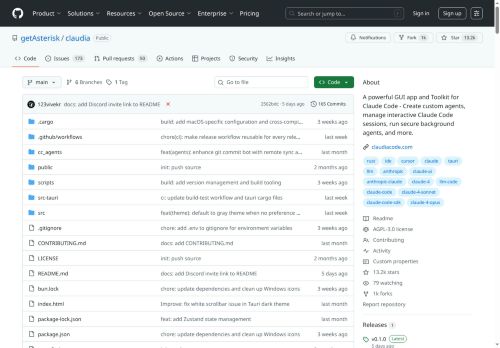
Claudia is a GUI application toolkit for creating and managing custom agents and interactive Claude code sessions. It provides a visual project browser to track session history and manage projects. Features include creating and running specialized agents, monitoring API usage with analytics, and managing model context protocol servers. It supports versioning with checkpoints for navigating session timelines.
⭐ Key features
Claudia core features and benefits include the following:
- ✔️ GUI application toolkit.
- ✔️ Visual project browser.
- ✔️ Creating and running specialized agents.
- ✔️ Monitoring API usage with analytics.
- ✔️ Managing model context protocol servers.
⚙️ Use cases & applications
- ✔️ Create and manage custom interactive agents using Claudia's GUI toolkit, making it accessible for non-technical users to develop specialized solutions without needing to write code.
- ✔️ Utilize Claudia's analytics feature to monitor API usage in real-time, allowing teams to optimize their workflows and track performance effectively.
- ✔️ Leverage versioning with checkpoints in Claudia to easily navigate through different session timelines, aiding in project management and collaboration across teams.
🙋♂️ Who is it for?
Claudia can be useful for the following user groups:
Ai developers
Researchers
Data scientists
Software engineers
Technical project managers
ℹ️ Find more & support
Claudia provides an API that developers can use for programmatic access which makes it easy to integrate it with other tools or within your own applications.
You can also find more information, get support and follow Claudia updates on the following channels:
- Claudia Website (Login/Sign up)
Based on 10 verified user reviews — Average rating: 4.30/5

@larrycampbell343
TurkeyImpressed with the speed. I tested it on a real project and it held up well.

@judymurphy1844
TurkeyI have been using Claudia for a few weeks on real client work, not just demos. The first week was mostly learning prompts and figuring out which templates stick. After that, drafting time dropped noticeably — especially for outlines, email replies, and first-pass summaries. It is not flawless: long documents sometimes lose structure, and I still fact-check anything important. Still, for a busy week it has become one of the tools I open without thinking. If you already have a clear workflow, Claudia fits in cleanly. If you expect magic with zero editing, you will be disappointed. For me, the time saved on the boring middle steps is worth it.

@williammartin7522
TurkeyWhat surprised me about Claudia is how little friction there is once you set preferences. I keep a short checklist: audience, tone, must-include points, and forbidden phrases. With that, outputs are consistently usable. Without it, results feel generic. I also like that I can iterate quickly instead of restarting from a blank page. Missing features for me: better version history and clearer export options. Even so, it has replaced a couple of scattered tools in my stack. Rating reflects practical value in my week, not hype from the landing page.


@dorothymartinez4376
TurkeyDetailed take after daily use: Claudia is strongest on speed and decent on quality when the brief is clear. I tested it against two alternatives on the same tasks (blog outline, meeting notes cleanup, and a short product FAQ). Claudia was the fastest and produced the least awkward tone. Weak points are edge cases — niche jargon and multi-step instructions sometimes drift. I solved that with a saved prompt style guide. Pricing is okay if you actually use it several times a week; otherwise the free tier may be enough. Overall I would recommend it to freelancers and small teams who need reliable first drafts, not final publish-ready copy every time.

@dianacarter68
TurkeySade, odaklı ve şişirilmemiş. Bu bile birçok AI aracından ayırıyor.
More Opensource AI tools AI Tools
Explore other opensource ai tools tools with user ratings, pricing details, and in-depth descriptions. Updated regularly by our editorial team.