
About GoldFish
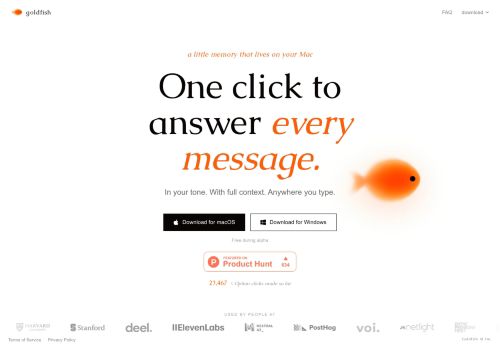
Users can set and preserve a writing tone so generated responses match their style.Local, lightweight memory maintains recent context without significant resource use, fitting desktop workflows.The app integrates with email, chat, and productivity tools to speed up replies and reduce repetitive typing.
Available for macOS and Windows with straightforward installation and one-click controls for fast message handling and context recall.
Key Features
- Context-aware, one-click message responses
- Captures full conversational context across apps
- Preserves user-configured writing tone for generated replies
- Local, lightweight memory storing recent context on desktop
- Integrates with email, chat, and productivity tools
Use Cases
- Speed up email and chat responses using Goldfish's cross-app conversation memory and one-click, context-aware reply generator to produce tone-preserved replies locally, reducing repetitive typing while keeping your data private
- Maintain a consistent professional voice across email, Slack, and social DMs by letting Goldfish preserve your user-defined writing tone and apply it via desktop reply automation and email chat integration
- Create a searchable, local conversational knowledge base with Goldfish that captures attachments and past decisions across apps and surfaces relevant context for faster follow-ups, team handoffs, and onboarding without sending data to the cloud
Who is it for?
- Software developers
- Product managers
- Administrative assistants
- Remote workers
- Customer support agents
Based on 9 verified user reviews — Average rating: 3.33/5

@matthewgonzalez2956
TurkeyDetailed take after daily use: GoldFish is strongest on speed and decent on quality when the brief is clear. I tested it against two alternatives on the same tasks (blog outline, meeting notes cleanup, and a short product FAQ). GoldFish was the fastest and produced the least awkward tone. Weak points are edge cases — niche jargon and multi-step instructions sometimes drift. I solved that with a saved prompt style guide. Pricing is okay if you actually use it several times a week; otherwise the free tier may be enough. Overall I would recommend it to freelancers and small teams who need reliable first drafts, not final publish-ready copy every time.

@jonathanscott9892
TurkeyGoldFish araçını birkaç haftadır gerçek işlerde deniyorum; sadece demo değil. İlk hafta prompt alışkanlığı kazanmakla geçti. Sonrasında özellikle taslak, e-posta yanıtı ve özet işlerinde süre belirgin düştü. Kusursuz değil: uzun metinlerde yapı bozulabiliyor ve kritik noktaları mutlaka kontrol ediyorum. Yine de yoğun bir haftada düşünmeden açtığım araçlardan biri oldu. Net bir iş akışınız varsa GoldFish kolay oturuyor. Sıfır düzenlemeyle sihir bekliyorsanız hayal kırıklığı olur. Benim için sıkıcı ara adımları kısaltması yeterli sebep.

@keithwright9158
TurkeyGood value so far. The free tier was enough to evaluate, and the paid features feel justified.


@charleswatson4832
TurkeyGoldFish ile ilgili sürpriz, tercihleri ayarladıktan sonra sürtünmenin azalması oldu. Kısa bir kontrol listem var: hedef kitle, ton, zorunlu maddeler, istenmeyen ifadeler. Bunlarla çıktılar düzenli şekilde kullanılabilir oluyor. Olmadan sonuçlar genel kalıyor. Boş sayfadan başlamak yerine hızlıca iterasyon yapabilmek de büyük artı. Eksik gördüğüm yerler: daha iyi sürüm geçmişi ve net export seçenekleri. Yine de dağınık birkaç aracı elimden aldı. Puanım reklam değil, haftalık pratik faydaya göre.
More Memory AI Tools
Explore other memory tools with user ratings, pricing details, and in-depth descriptions. Updated regularly by our editorial team.