
About museimage.dev
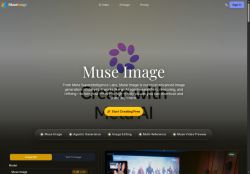
Core features include image editing (on-photo edits, iterative refinement), multi-reference composition to blend people, objects, styles, and presets for common tasks.
Output controls cover aspect ratio and resolutions up to 4K, with export formats such as JPG, PNG, and WebP for social and e-commerce use.
Agentic capabilities enable search-enabled generation for knowledge‑intensive prompts and coding precision for QR codes, plots, and exact visual details.
Target users include creators and social storytellers producing shareable visuals, designers and e-commerce teams creating photorealistic room layouts and product variants, and marketers generating campaign assets.
Benefits include faster iteration, coherent multi-turn edits, precise on-image adjustments, and provenance watermarking that remains after common transformations.
The workflow supports natural-language prompts, reference image uploads, drag-and-drop editing, and presets for rapid prototyping of social media visuals and marketing imagery.
Key Features
- Agentic workflows that search, reason, and self-refine visual outputs
- On-photo image editing with iterative multi-turn refinement
- Multi-reference composition to blend people, objects, and styles
- Output controls: adjustable aspect ratios, resolutions up to 4K, and export to JPG/PNG/WebP
- Search-enabled generation and coding precision for QR codes, plots, and exact visual details
Use Cases
- Create 4K marketing images and photorealistic product variants for e-commerce using Muse Image's agentic workflows and multi-reference composition, iteratively refining lighting, textures, and framing with on-photo precision edits so you can ship pixel-perfect ads and catalog shots without advanced photo-editing skills
- Design and A/B-test lifestyle mockups and ad creatives by composing multiple reference photos, applying iterative self-refinement and precise on-photo controls (QR codes, plots, selective retouching), and exporting campaign-ready 4K assets optimized for web and paid channels
- Generate audited product catalogs and branded visuals with provenance watermarking and version history, automating bulk variant generation via agentic image generation while maintaining exact composition and iterative approvals for legal traceability and team collaboration
Who is it for?
- Content creators
- Product designers
- E-commerce sellers
- Marketing managers
- Social storytellers
Based on 6 verified user reviews — Average rating: 4.50/5

@karenrivera7381
Turkeymuseimage.dev araçını birkaç haftadır gerçek işlerde deniyorum; sadece demo değil. İlk hafta prompt alışkanlığı kazanmakla geçti. Sonrasında özellikle taslak, e-posta yanıtı ve özet işlerinde süre belirgin düştü. Kusursuz değil: uzun metinlerde yapı bozulabiliyor ve kritik noktaları mutlaka kontrol ediyorum. Yine de yoğun bir haftada düşünmeden açtığım araçlardan biri oldu. Net bir iş akışınız varsa museimage.dev kolay oturuyor. Sıfır düzenlemeyle sihir bekliyorsanız hayal kırıklığı olur. Benim için sıkıcı ara adımları kısaltması yeterli sebep.

@stephanieadams2414
TurkeyI like museimage.dev more than expected. Clean UX and dependable outputs.

@walterchavez8560
TurkeyUI is intuitive. Less steep learning curve than similar tools I tried.


@emmabennett4078
TurkeyI have been using museimage.dev for a few weeks on real client work, not just demos. The first week was mostly learning prompts and figuring out which templates stick. After that, drafting time dropped noticeably — especially for outlines, email replies, and first-pass summaries. It is not flawless: long documents sometimes lose structure, and I still fact-check anything important. Still, for a busy week it has become one of the tools I open without thinking. If you already have a clear workflow, museimage.dev fits in cleanly. If you expect magic with zero editing, you will be disappointed. For me, the time saved on the boring middle steps is worth it.

@loganmorgan3176
Turkeymuseimage.dev ile ilgili sürpriz, tercihleri ayarladıktan sonra sürtünmenin azalması oldu. Kısa bir kontrol listem var: hedef kitle, ton, zorunlu maddeler, istenmeyen ifadeler. Bunlarla çıktılar düzenli şekilde kullanılabilir oluyor. Olmadan sonuçlar genel kalıyor. Boş sayfadan başlamak yerine hızlıca iterasyon yapabilmek de büyük artı. Eksik gördüğüm yerler: daha iyi sürüm geçmişi ve net export seçenekleri. Yine de dağınık birkaç aracı elimden aldı. Puanım reklam değil, haftalık pratik faydaya göre.
More Image generation AI Tools
Explore other image generation tools with user ratings, pricing details, and in-depth descriptions. Updated regularly by our editorial team.