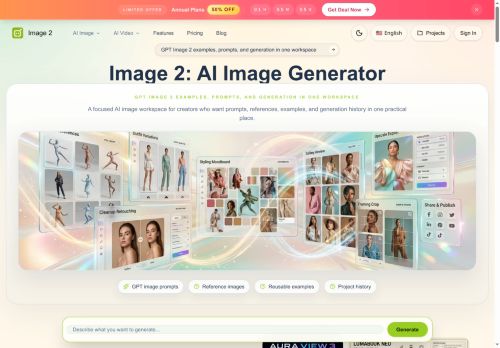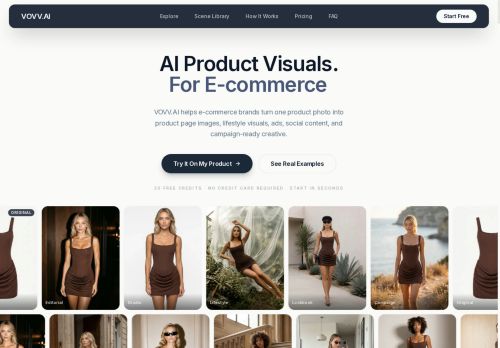

About Pikvee
A multi-model setup, including Nano Banana Pro, delivers higher-fidelity outputs and sharper scenes for client-facing deliverables.Reusable style directions preserve aesthetic cues across projects to maintain visual consistency for campaigns and brand assets.
Collaboration features support team review, side-by-side comparisons, rapid iteration, and approval workflows for marketing, design, and product teams.Common use cases include ecommerce product visuals, ad creatives, landing-page imagery, social posts, editorial concepts, and course illustrations.
Export options produce ready-to-use assets for decks, campaigns, client delivery, and internal review cycles, reducing production iterations.
Key Features
- Converts text briefs and source photos into editable, export-ready visuals
- Prompt-led generation that produces multiple draft options and supports guided edits without restarting jobs
- Multi-model architecture (including Nano Banana Pro) for higher-fidelity, sharper outputs
- Reusable style directions to preserve and apply aesthetic cues across projects
- Collaboration tools with team review, side-by-side comparisons, rapid iteration, and approval workflows
Use Cases
- Generate e-commerce product imagery by converting source photos and text briefs into multiple editable, export-ready variants using prompt-led multi-draft generation and reusable style presets, then apply guided edits to meet marketplace specs and scale listings
- Create on-brand marketing and campaign visuals from simple briefs using multi-model fidelity to explore aesthetic directions, collaborate with stakeholders in the review workflow to iterate on guided edits, and export final assets for ads, social, and email
- Assemble polished product catalogs and A/B test creative variations by producing dozens of draft images from prompts, enforcing reusable style directions for brand consistency, managing versions in collaborative review, and exporting high-resolution files for web and print
Who is it for?
- Graphic designers
- Creative directors
- Product managers
- E-commerce sellers
- Social media managers
Based on 6 verified user reviews — Average rating: 3.67/5

@dianamorris6599
TurkeyI have been using Pikvee for a few weeks on real client work, not just demos. The first week was mostly learning prompts and figuring out which templates stick. After that, drafting time dropped noticeably — especially for outlines, email replies, and first-pass summaries. It is not flawless: long documents sometimes lose structure, and I still fact-check anything important. Still, for a busy week it has become one of the tools I open without thinking. If you already have a clear workflow, Pikvee fits in cleanly. If you expect magic with zero editing, you will be disappointed. For me, the time saved on the boring middle steps is worth it.
@meganrogers6268
TurkeyBelow expectations. Occasional useful bits, but too many errors to trust for real work.

@natalielewis9735
TurkeyI have been using Pikvee for a few weeks on real client work, not just demos. The first week was mostly learning prompts and figuring out which templates stick. After that, drafting time dropped noticeably — especially for outlines, email replies, and first-pass summaries. It is not flawless: long documents sometimes lose structure, and I still fact-check anything important. Still, for a busy week it has become one of the tools I open without thinking. If you already have a clear workflow, Pikvee fits in cleanly. If you expect magic with zero editing, you will be disappointed. For me, the time saved on the boring middle steps is worth it.


@matthewgray105
TurkeySade, odaklı ve şişirilmemiş. Bu bile birçok AI aracından ayırıyor.

@cherylturner3720
TurkeyDetailed take after daily use: Pikvee is strongest on speed and decent on quality when the brief is clear. I tested it against two alternatives on the same tasks (blog outline, meeting notes cleanup, and a short product FAQ). Pikvee was the fastest and produced the least awkward tone. Weak points are edge cases — niche jargon and multi-step instructions sometimes drift. I solved that with a saved prompt style guide. Pricing is okay if you actually use it several times a week; otherwise the free tier may be enough. Overall I would recommend it to freelancers and small teams who need reliable first drafts, not final publish-ready copy every time.
More Product Image AI Tools
Explore other product image tools with user ratings, pricing details, and in-depth descriptions. Updated regularly by our editorial team.