
About HTMLSlides AI
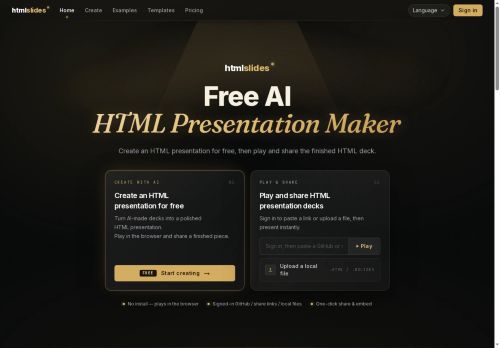
Decks play directly in the browser with real animations, interactivity, live content, and consistent rendering across devices.Files and sources supported include.html/.hslides, GitHub links, and local uploads; each import gets a shareable link and an embed snippet.
Presenter features include speaker view, editable notes, laser pointer, and autoplay; one-click export creates downloadable video files.htmlslides targets educators, product teams, marketers, and developers who need browser-native presentations that preserve animation and simplify distribution.
Key Features
- Generate slide decks from text prompts or uploaded files
- Template marketplace with animated, responsive slide designs
- Browser-native playback with real animations, interactivity, and live content
- Support for .html/.hslides, GitHub links, and local uploads with shareable links and embed snippets
- Presenter tools (speaker view, editable notes, laser pointer, autoplay) and one-click export to downloadable video
Use Cases
- Create a professional-looking, interactive pitch or product demo from a prompt or upload using htmlslides without any coding, preserving animations and live content and then share via a single link or embed snippet for clients or investors
- Convert onboarding materials, tutorials or API documentation into browser-native interactive slide courses with live code/examples and responsive animated templates, rehearse with presenter tools for remote training and one-click export to video for offline distribution
- Generate conference or webinar presentations quickly with AI-powered templates, customize animations and presenter view in-browser, publish embeddable slides or export to video and social-ready formats for broad distribution
Who is it for?
- Educators
- Product designers
- Developers
- Marketers
- Content creators
Based on 6 verified user reviews — Average rating: 4.50/5

@johnnylopez596
TurkeyWhat surprised me about HTMLSlides AI is how little friction there is once you set preferences. I keep a short checklist: audience, tone, must-include points, and forbidden phrases. With that, outputs are consistently usable. Without it, results feel generic. I also like that I can iterate quickly instead of restarting from a blank page. Missing features for me: better version history and clearer export options. Even so, it has replaced a couple of scattered tools in my stack. Rating reflects practical value in my week, not hype from the landing page.

@nathantorres3911
TurkeyGünlük kullanım sonrası detaylı yorum: HTMLSlides AI hız konusunda güçlü, brief netse kalite de iyi. Aynı görevlerde iki alternatifle kıyasladım (blog outline, toplantı notu sadeleştirme, kısa SSS). HTMLSlides AI en hızlısıydı ve tonu en az garip olandı. Zayıf yanı uç vakalar — niş jargon ve çok adımlı isteklerde sapabiliyor. Bunu kayıtlı bir stil/prompt rehberiyle çözdüm. Haftada birkaç kez kullanıyorsanız fiyatı makul; değilse ücretsiz katman yetebilir. Freelancer ve küçük ekiplere, güvenilir ilk taslak için öneririm.

@christinarobinson791
TurkeyWhat surprised me about HTMLSlides AI is how little friction there is once you set preferences. I keep a short checklist: audience, tone, must-include points, and forbidden phrases. With that, outputs are consistently usable. Without it, results feel generic. I also like that I can iterate quickly instead of restarting from a blank page. Missing features for me: better version history and clearer export options. Even so, it has replaced a couple of scattered tools in my stack. Rating reflects practical value in my week, not hype from the landing page.


@justinmitchell3839
TurkeyI have been using HTMLSlides AI for a few weeks on real client work, not just demos. The first week was mostly learning prompts and figuring out which templates stick. After that, drafting time dropped noticeably — especially for outlines, email replies, and first-pass summaries. It is not flawless: long documents sometimes lose structure, and I still fact-check anything important. Still, for a busy week it has become one of the tools I open without thinking. If you already have a clear workflow, HTMLSlides AI fits in cleanly. If you expect magic with zero editing, you will be disappointed. For me, the time saved on the boring middle steps is worth it.

@charlesjackson608
TurkeyGenel olarak sağlam bir araç. Küçük eksikleri var ama her hafta zaman kazandırıyor.
More Presentations AI Tools
Explore other presentations tools with user ratings, pricing details, and in-depth descriptions. Updated regularly by our editorial team.