
About Google Chrome AI
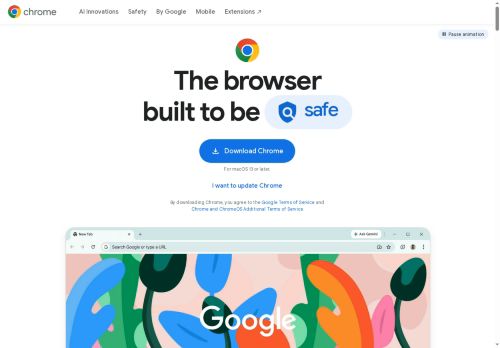
Built-in tools—Google Lens, a password manager, Safe Browsing, Enhanced Safe Browsing, and Safety Check—help identify content, manage credentials, and monitor security and privacy settings.Performance controls like Energy Saver and Memory Saver, tab groups with labels and color-coding, and animation controls improve resource use and tab organization across desktop and mobile.
Autofill, offline access to Google Workspace apps, customizable themes, and the Chrome Web Store extensions ecosystem support productivity for students, professionals, and developers.Automatic updates and a step-by-step Privacy Guide simplify maintenance and privacy configuration on Windows, macOS, Android, and iOS.
Key Features
- Context-aware AI assistance and AI-powered search (Gemini, AI mode, Omnibox)
- Multi-part query handling using open tabs and browsing history
- Built-in security and privacy tools (Safe Browsing, Enhanced Safe Browsing, Safety Check, Privacy Guide)
- Resource and tab management controls (Energy Saver, Memory Saver, animation controls, tab groups with labels and color-coding)
- Integrated tools and extensibility (Google Lens, password manager, Autofill, offline Google Workspace access, Chrome Web Store extensions)
Use Cases
- Conduct deep web research and synthesize results across multiple tabs using Chrome's Gemini-powered Omnibox—ask context-aware follow-ups, get concise summaries with source citations, and keep sources organized with tab grouping and productivity extensions without switching apps
- Manage and secure all your online accounts with Chrome's built-in password manager and Safe Browsing—auto-generate and autofill strong passwords, detect compromised credentials, and apply privacy and performance controls across desktop and mobile while syncing securely
- Capture and work with content offline using Google Lens and offline Workspace access—extract text from images, translate and insert into Docs or Sheets, then use Gemini-driven Omnibox suggestions to edit and refine content with everything synced when you go back online
Who is it for?
- Developer builders
- It administrators
- Security-conscious admins
- Researcher analysts
- Remote workers
Based on 8 verified user reviews — Average rating: 4.13/5

@dianabaker7236
TurkeyDoes what it promises. Not perfect, but definitely worth trying if you need this category of AI help.

@janicerivera9785
TurkeyGoogle Chrome AI ile ilgili sürpriz, tercihleri ayarladıktan sonra sürtünmenin azalması oldu. Kısa bir kontrol listem var: hedef kitle, ton, zorunlu maddeler, istenmeyen ifadeler. Bunlarla çıktılar düzenli şekilde kullanılabilir oluyor. Olmadan sonuçlar genel kalıyor. Boş sayfadan başlamak yerine hızlıca iterasyon yapabilmek de büyük artı. Eksik gördüğüm yerler: daha iyi sürüm geçmişi ve net export seçenekleri. Yine de dağınık birkaç aracı elimden aldı. Puanım reklam değil, haftalık pratik faydaya göre.

@lindabrooks131
TurkeyBeklentimin altında. Ara sıra işe yarayan kısımlar var ama gerçek iş için fazla hatalı.

More Personal assistant AI Tools
Explore other personal assistant tools with user ratings, pricing details, and in-depth descriptions. Updated regularly by our editorial team.