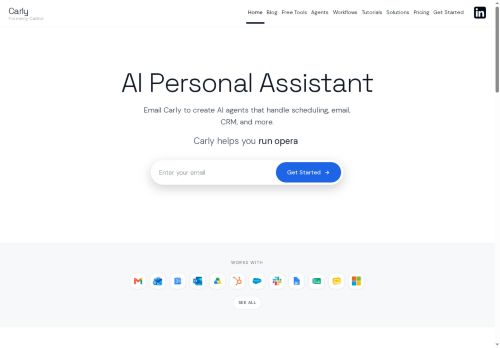

About Carly AI
Key features include automated email sorting, draft meeting slides, lead follow-ups, report generation, and scheduling events across various calendars (including sports schedules).Carly can manage reminders, track invoices, and even monitor your inbox on a set schedule.
It offers pre-built agent templates and a prompt library to get you started quickly.Users can integrate Carly into existing workflows for tasks like managing sales pipelines, coordinating internal operations, and optimizing productivity with tools such as a Pomodoro timer.
It also supports group scheduling and booking pages.
Key Features
- Email Sorting
- Slideshow Drafts for Meetings
- Lead Follow-Ups
- Earnings Report Generation
- Reminder Creation (e.g., weekly check-ins)
- Agent Creation & Customization
- Invoice & Receipt Tracking
- Inbox Monitoring
- Calendar Scheduling (Sports, Congress, etc.)
- Time Zone Meeting Planning
- Pomodoro Timer Integration
- Free Group Scheduling
Use Cases
- Automating lead follow-ups and email campaigns for sales teams.
- Creating and managing internal schedules across departments with integrated calendar syncing.
- Streamlining customer support workflows by automating responses and tracking inquiries.
Who is it for?
- Small business owners
- Freelancers
- Service providers
- Marketing teams
- Customer support teams
Based on 3 verified user reviews — Average rating: 4.67/5

@julielee7594
TurkeyWhat surprised me about Carly AI is how little friction there is once you set preferences. I keep a short checklist: audience, tone, must-include points, and forbidden phrases. With that, outputs are consistently usable. Without it, results feel generic. I also like that I can iterate quickly instead of restarting from a blank page. Missing features for me: better version history and clearer export options. Even so, it has replaced a couple of scattered tools in my stack. Rating reflects practical value in my week, not hype from the landing page.
@mariajimenez2261
TurkeyCarly AI rutin işlerde hızımı artırdı. Şimdilik sonuçlardan memnunum.

@alancox8200
TurkeyI have been using Carly AI for a few weeks on real client work, not just demos. The first week was mostly learning prompts and figuring out which templates stick. After that, drafting time dropped noticeably — especially for outlines, email replies, and first-pass summaries. It is not flawless: long documents sometimes lose structure, and I still fact-check anything important. Still, for a busy week it has become one of the tools I open without thinking. If you already have a clear workflow, Carly AI fits in cleanly. If you expect magic with zero editing, you will be disappointed. For me, the time saved on the boring middle steps is worth it.

More Leading AI Assistants AI Tools
Explore other leading ai assistants tools with user ratings, pricing details, and in-depth descriptions. Updated regularly by our editorial team.