
About Kinovi AI
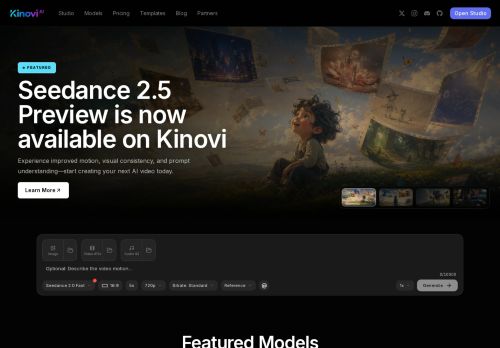
The studio includes a template library, asset library, and a creator workspace to manage references, reuse outputs, and launch image and video jobs.Models offer face-ready portrait support and native 720p/1080p outputs, with selectable modes for faster or higher-quality generation.
Developers can integrate via API-ready endpoints, set model routes programmatically, and poll task status to retrieve media outputs.Creators and teams can apply templates for social content, ecommerce, ads, and character workflows and scale production with batch jobs and reusable assets.
Kinovi supports image editing, character pipelines, and audio pairing through compatible models for end-to-end content workflows.
Key Features
- Unified API and model routes for image-to-video, text-to-image, and video generation across multiple model providers
- Studio with template library, asset library, and creator workspace to manage references, reuse outputs, and launch image and video jobs
- Models with face-ready portrait support and native 720p/1080p outputs with selectable fast or high-quality modes
- API endpoints that allow programmatic model route configuration and task polling to retrieve media outputs
- Support for image editing, character pipelines, audio pairing, batch jobs, and reusable assets for end-to-end workflows
Use Cases
- Create hundreds of portrait-ready short ads from product images without manual editing or coding by using Kinovi's image-to-video API and batch workflows: apply templates and asset library items, then output 720p/1080p vertical MP4s ready for TikTok and Instagram Reels
- Automate personalized marketing and onboarding videos at scale by integrating Kinovi's AI video API with your CRM to populate character pipelines and dynamic text fields, generate individualized portrait videos in batches, and deliver finished files via webhooks
- Create polished microlearning and social clips from scripts and assets using Kinovi's unified model routes—convert text to images, edit visuals, add generated characters from the creator library, and export ready-to-publish short-form portrait videos
Who is it for?
- Developers
- Content creators
- Animation artists
- Social media managers
- E-commerce sellers
Based on 9 verified user reviews — Average rating: 4.22/5
@mariajimenez2261
TurkeyReliable enough for production drafts. I edit the output, but the first pass is strong.

@pamelagarcia4558
TurkeySimple, focused, and not bloated. That alone makes it stand out among AI tools.

@theresagonzalez8943
TurkeyŞimdilik fiyat/performans dengesi iyi. Ücretsiz sürüm değerlendirmek için yeterliydi.


@carlcarter900
TurkeyDetailed take after daily use: Kinovi AI is strongest on speed and decent on quality when the brief is clear. I tested it against two alternatives on the same tasks (blog outline, meeting notes cleanup, and a short product FAQ). Kinovi AI was the fastest and produced the least awkward tone. Weak points are edge cases — niche jargon and multi-step instructions sometimes drift. I solved that with a saved prompt style guide. Pricing is okay if you actually use it several times a week; otherwise the free tier may be enough. Overall I would recommend it to freelancers and small teams who need reliable first drafts, not final publish-ready copy every time.

@nancymorgan1844
TurkeySimple, focused, and not bloated. That alone makes it stand out among AI tools.
More API AI Tools
Explore other api tools with user ratings, pricing details, and in-depth descriptions. Updated regularly by our editorial team.