
About Pixmax AI
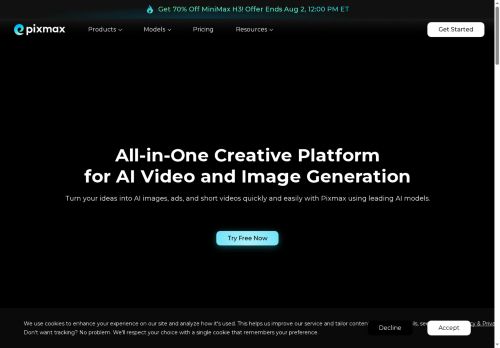
Pixmax AI is an AI video generator and content-creation platform that centralizes video, image, text, and audio models in a single workspace.It provides an asset library, reusable workflow templates, and an infinite canvas for planning scenes, comparing model outputs, and building end-to-end creative workflows.
Video models support cinematic clips, short-form social videos, product ads, and digital human footage; image models generate product shots, posters, characters, and campaign visuals.Text and script tools produce prompts, scripts, storyboards, captions, and creative directions while audio models create voiceovers, narration, and music.
Project management features let teams run multiple canvases per project, organize storyboards and production progress, and filter and reuse large asset libraries.The platform targets creators, marketers, and production teams seeking streamlined asset management, collaborative workflows, and faster iteration from concept to final content.
Key Features
Use Cases
Who is it for?
Video models support cinematic clips, short-form social videos, product ads, and digital human footage; image models generate product shots, posters, characters, and campaign visuals.Text and script tools produce prompts, scripts, storyboards, captions, and creative directions while audio models create voiceovers, narration, and music.
Project management features let teams run multiple canvases per project, organize storyboards and production progress, and filter and reuse large asset libraries.The platform targets creators, marketers, and production teams seeking streamlined asset management, collaborative workflows, and faster iteration from concept to final content.
Key Features
- Unified workspace combining video, image, text, and audio models
- Asset library with organization, filtering, and reusable assets
- Reusable workflow templates for end-to-end creative workflows
- Infinite canvas for planning scenes, comparing model outputs, and building workflows
- Integrated multimodal generators: video (cinematic, short-form, ads, digital humans), image (product shots, posters, characters), text/script (prompts, scripts, storyboards, captions), and audio (voiceovers, narration, music)
Use Cases
- Create high-converting marketing videos and social ads using Pixmax's AI video generator, assemble scenes on the infinite canvas, compare model versions and iterate with collaborators, add AI voiceovers and music from the asset library, and output platform-ready clips via reusable workflow templates
- Produce a multi-episode educational or training series by writing scripts and storyboards in the workspace, generate synchronized video, image and audio assets, create multilingual AI voiceovers and captions, and manage production timelines and approvals with collaborative workflows and the digital asset library
- Design end-to-end product launch content—hero images, demo videos, explainer animations and localized copy—storyboard with stakeholders on the infinite canvas, iterate using model comparison, organize deliverables in the asset library, and reuse deployment-ready templates for consistent cross-channel publishing
Who is it for?
- Content creators
- Video producers
- Creative designers
- Creative directors
- E-commerce sellers
No review yet!
More Video generation AI Tools
Explore other video generation tools with user ratings, pricing details, and in-depth descriptions. Updated regularly by our editorial team.