
About Grok - imagineai.studio
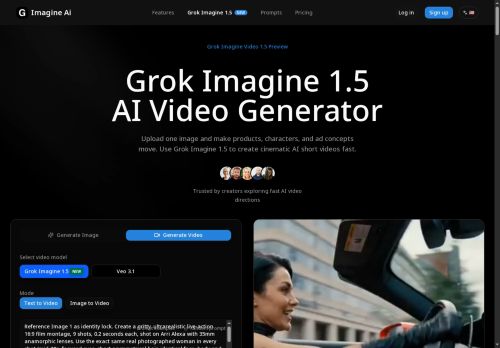
It supports eight aspect ratios, 480p and 720p resolutions, and accepts JPEG, PNG, and WEBP inputs up to 10 MB.
Controls include duration, framing, camera movement, environmental changes, and an identity lock to maintain subject consistency across frames.
Typical use cases include product motion, portrait clips, character animation, ad previews, storyboard testing, and short-form social content.
Workflow. upload a reference image, set duration and aspect ratio, and add motion/camera prompts; 1–3 second clips work for quick testing, 8 seconds is the default preview length.
Prompts guide subject action, pacing, lighting, and camera behavior to produce steadier, reference-led short videos for creative teams, advertisers, and product designers.
Key Features
- Image-to-video conversion from a single reference image producing 1–15 second clips with optional prompt control
- Supports eight aspect ratios and 480p/720p output; accepts JPEG, PNG, WEBP inputs up to 10 MB
- Configurable controls for duration, framing, camera movement, and environmental changes
- Identity lock to maintain subject consistency across frames
- Prompt-guided adjustments for subject action, pacing, lighting, and camera behavior
Use Cases
- Create eye-catching short-form social clips from a single product photo using Grok Imagine 1.5's prompt-driven camera motion, framing and environmental changes, exporting 480/720p assets in multiple aspect ratios ready for Instagram Reels, TikTok and product pages
- Generate consistent character or influencer identity-lock videos from one reference image with controlled duration, camera movement and framing to produce 1–15 second branded animations for ads, intros and profile clips
- Turn concept art or stills into animated storyboards and product motion previews by prompting duration, lighting and camera moves to quickly iterate visuals for pitches, UX demos and e-commerce galleries
Who is it for?
- Creative teams
- Advertisers
- Product designers
- Social media creators/influencers
- Storyboard artists
- Character animators
- Motion designers
- Product/portrait photographers
- E-commerce marketers
- Ad agencies
Based on 5 verified user reviews — Average rating: 4.20/5
@eraercer9058
FrancePretty solid overall. A few quirks, but I keep using it weekly.

@asperecker9596
SingaporeHelpful and mostly consistent. Would recommend for freelancers.

@bettydavis4618
TurkeyI like Grok - imagineai.studio for first passes. Not perfect, but clearly useful.


@margaretlewis6051
TurkeyWhat surprised me about Grok - imagineai.studio is how little friction there is once you set preferences. I keep a short checklist: audience, tone, must-include points, and forbidden phrases. With that, outputs are consistently usable. Without it, results feel generic. I also like that I can iterate quickly instead of restarting from a blank page. Missing features for me: better version history and clearer export options. Even so, it has replaced a couple of scattered tools in my stack. Rating reflects practical value in my week, not hype from the landing page.

@seanbrooks1307
TurkeyDetailed take after daily use: Grok - imagineai.studio is strongest on speed and decent on quality when the brief is clear. I tested it against two alternatives on the same tasks (blog outline, meeting notes cleanup, and a short product FAQ). Grok - imagineai.studio was the fastest and produced the least awkward tone. Weak points are edge cases — niche jargon and multi-step instructions sometimes drift. I solved that with a saved prompt style guide. Pricing is okay if you actually use it several times a week; otherwise the free tier may be enough. Overall I would recommend it to freelancers and small teams who need reliable first drafts, not final publish-ready copy every time.
More Personalized videos AI Tools
Explore other personalized videos tools with user ratings, pricing details, and in-depth descriptions. Updated regularly by our editorial team.