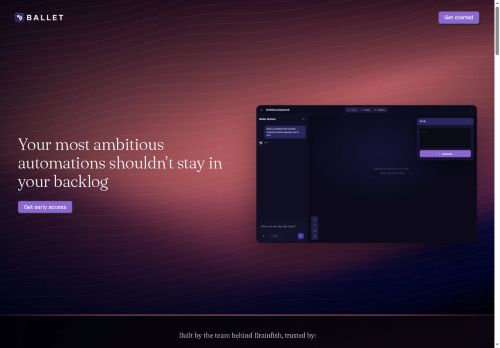

About Ballet
Connect telemetry and data sources (Salesforce, BigQuery, Stripe, CPQ, ZoomInfo, Slack, Freshdesk) to detect account surges, enrich signals, and push next-best-action to reps without engineering tickets.
Support batch jobs, overnight processing, and real-time triggers to keep data synchronized across billing, CRM, and internal systems.Build and iterate automations in minutes to reduce engineering backlog, enforce consistent, auditable logic, and handle complex decisioning that spans multiple systems.
Suitable for revenue ops, sales ops, marketing ops, and product teams seeking integrated workflow automation and reliable system-to-system orchestration.
Key Features
- Define automations using plain-English outcome descriptions
- Prebuilt automation templates for lead routing, attribution, renewal plays, CRM enrich/dedupe/score, and product-usage routing
- Integrations with systems (Salesforce, BigQuery, Stripe, CPQ, ZoomInfo, Slack, Freshdesk) for telemetry ingestion, signal enrichment, and action dispatch
- Support for batch jobs, scheduled/overnight processing, and real-time triggers to synchronize data across billing, CRM, and internal systems
- Rapid low-code/no-code builder for building and iterating automations with auditable logic and complex multi-system decisioning
Use Cases
- Automatically route and score inbound leads using Ballet's no-code workflows—combine CRM data, firmographic fit, and real-time product telemetry to assign the right rep, trigger personalized outreach sequences, and shorten response time for higher conversion rates
- Orchestrate renewals and expansion plays by defining plain-English outcomes in Ballet—leverage usage signals and historical attribution to auto-create renewal opportunities, trigger renewal reminders and upsell tasks in CRM, and improve ARR retention and forecasting accuracy
- Keep your revenue stack synchronized and accurate with Ballet's cross-system orchestration—enrich, dedupe, and score CRM records in real time, push updates across marketing, billing, and analytics tools, and automate attribution pipelines for clean reporting and faster decision-making
Who is it for?
- Product teams
- Revenue operations
- Sales operations
- Data analytics teams
- Crm administrators
Based on 6 verified user reviews — Average rating: 4.00/5

@sophiamartinez3798
TurkeyUseful features without overwhelming menus. A practical AI addition to my toolkit.

@paulprice6952
TurkeyBallet ile taslak ve özet çıkarıyorum. Karmaşık hissettirmeden sürtünmeyi azaltıyor.

@alexisclark9258
TurkeyFine for quick drafts. I would not rely on it for final client deliverables yet.


@julielee7594
TurkeyBirkaç alternatifle karşılaştırdım; günlük kullanım için daha pratik geldi.

@michaellong3675
TurkeyI have been using Ballet for a few weeks on real client work, not just demos. The first week was mostly learning prompts and figuring out which templates stick. After that, drafting time dropped noticeably — especially for outlines, email replies, and first-pass summaries. It is not flawless: long documents sometimes lose structure, and I still fact-check anything important. Still, for a busy week it has become one of the tools I open without thinking. If you already have a clear workflow, Ballet fits in cleanly. If you expect magic with zero editing, you will be disappointed. For me, the time saved on the boring middle steps is worth it.
More Workflow Automation AI Tools
Explore other workflow automation tools with user ratings, pricing details, and in-depth descriptions. Updated regularly by our editorial team.