
About Openwork
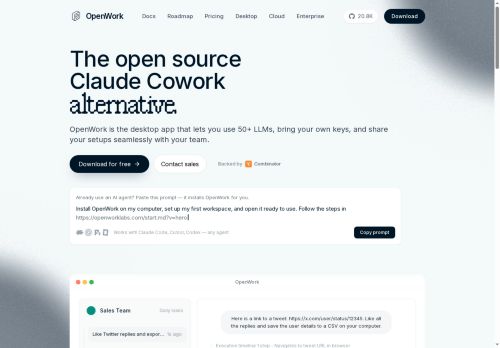
Openwork provides an open-source desktop app that connects 50+ LLMs, supports team workspaces, and enables shared setups, skills, plugins, and configs.It runs agent workflows and browser automation to execute tasks such as reading Twitter threads, liking replies, extracting user details to CSV, summarizing revenue outliers, and drafting follow-ups.
openwork integrates with clients and IDEs including Codex, VS Code, ChatGPT Desktop, Claude Code, and Cursor via a remote MCP server URL and OAuth authentication.Teams can package and share full workspace setups and MCP configurations as a single link for one-click import and consistent environments.
The platform exposes MCP APIs and streamable HTTP endpoints for automated task execution, org and role scoping, and client compatibility.Common use cases include developer automation, data export to CSV, outreach workflows, meeting brief generation, and cross-tool workflow orchestration.
Key Features
Use Cases
Who is it for?
openwork integrates with clients and IDEs including Codex, VS Code, ChatGPT Desktop, Claude Code, and Cursor via a remote MCP server URL and OAuth authentication.Teams can package and share full workspace setups and MCP configurations as a single link for one-click import and consistent environments.
The platform exposes MCP APIs and streamable HTTP endpoints for automated task execution, org and role scoping, and client compatibility.Common use cases include developer automation, data export to CSV, outreach workflows, meeting brief generation, and cross-tool workflow orchestration.
Key Features
- Open-source desktop app connecting 50+ LLMs
- Team workspaces with shared setups, skills, plugins, and configs, packageable as one-click import links
- Agent workflows and browser automation for task execution and data extraction (e.g., exporting to CSV)
- Integrations with clients and IDEs via remote MCP server URL and OAuth (Codex, VS Code, ChatGPT Desktop, Claude Code, Cursor)
- Exposed MCP APIs and streamable HTTP endpoints for automated task execution, org/role scoping, and client compatibility
Use Cases
- Create centralized multi-LLM research workflows in openwork by connecting your preferred models from the 50+ LLM connector, sharing one-click workspace imports with teammates for reproducible prompt engineering and model setups, and exporting results as CSV for downstream analysis
- Automate lead generation and outreach campaigns using openwork's browser automation and agent workflows to scrape target profiles, generate personalized messages across multiple LLMs, and push contacts and activity via MCP APIs or CSV exports into your CRM
- Build developer automation pipelines with openwork by orchestrating agents and streamable endpoints for code generation, CI/QA tasks and documentation exports, then share workspace configurations for instant collaboration and reproducible deployments
Who is it for?
- Software developers
- Machine learning engineers
- Devops engineers
- Automation engineers
- Product managers
No review yet!
More AI Agents AI Tools
Explore other ai agents tools with user ratings, pricing details, and in-depth descriptions. Updated regularly by our editorial team.