
About Floyo
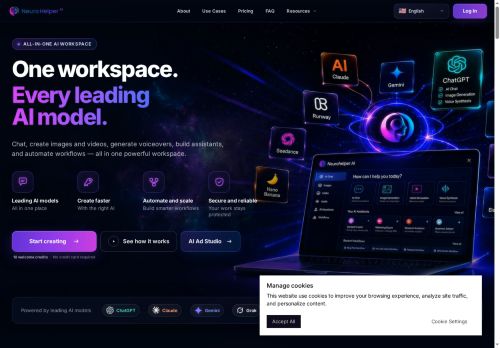
Floyo is a browser-based platform for running ComfyUI workflows without local installation. It enables discovery and launch of open-source premade workflows and the creation of custom node-based pipelines in the browser. Floyo supports text-to-image, image-to-image, image-to-video and video-to-video pipelines, ControlNet guidance, inpainting/outpainting, LoRA dataset generation and LoRA training, and Flux/VACE integrations.
The platform provides APIs for automated workflow execution, multi-frame video processing, and dataset export. Target users include character and concept designers, VFX and post-production teams, animation and video producers, and ecommerce content teams.
Key Features
Use Cases
Who is it for?
The platform provides APIs for automated workflow execution, multi-frame video processing, and dataset export. Target users include character and concept designers, VFX and post-production teams, animation and video producers, and ecommerce content teams.
Key Features
- Browser-based ComfyUI runtime with zero setup
- Unlimited workflow building plus a premade workflow library
- APIs for image and video generation and workflow automation (e.g., Image-to-Video API, Floyo API)
- Supports Text2Image, Image2Image, Image-to-Video, Video-to-Video, Inpainting, Outpainting, ControlNet, and LoRA training
- Workflow discovery, sharing, and user profiles for collaboration
Use Cases
- Create high-quality text-to-image and image-to-video assets directly in your browser using Floyo's ComfyUI node workflows (ControlNet, multi-frame video processing) without any local installation or complex setup, ideal for rapid prototyping of marketing visuals and concept art
- Generate and train LoRA datasets inside Floyo to fine-tune models — leverage built-in dataset generation, training nodes and workflow automation APIs to streamline dataset preparation, training, and deployment for personalized model creation
- Perform precise inpainting/outpainting and automated multi-frame video editing using Floyo's browser pipelines — remove or extend image elements, convert edited frames into videos, and run batch processing via workflow APIs for content creators and VFX pipelines
Who is it for?
- Developers
- Digital artists
- Machine learning engineers
- Automation engineers
- Video producers
No review yet!
More AI Agents AI Tools
Explore other ai agents tools with user ratings, pricing details, and in-depth descriptions. Updated regularly by our editorial team.