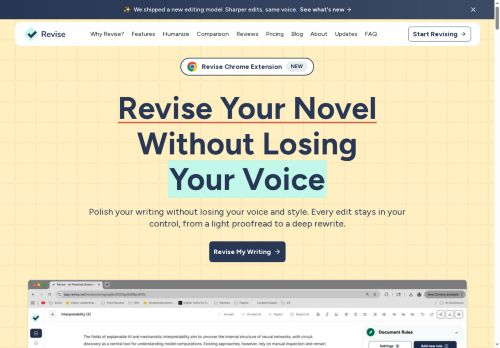

About Revise
An in-document chat supports brainstorming and iterative editing, and speech-to-text converts spoken ideas into editable text. Collaboration and sharing tools enable version control and team workflows for writers, students, journalists, bloggers, and professionals.
Key Features
- Change tracking with individual accept/reject of edits
- Custom style rules and tone control
- Learns your voice and writing preferences
- Voice-to-text (speech-to-text) conversion
- Switch between AI models optimized for creativity, precision, or speed
Use Cases
- Proofread and refine long-form articles, blog posts, or book chapters with Revise to preserve the author’s unique voice while applying customizable style rules and adjustable edit intensity, tracking accept/reject edits for clean final drafts
- Collaborate on technical documentation, marketing copy, or policy manuals using Revise’s team versioning and in-document chat to enforce specific style guides, choose preferred models, and produce multilingual-proofed content for global distribution
- Convert interviews, lectures, or brainstorming sessions into polished written content using Revise’s speech-to-text editor, then run AI-driven grammar and style refinement, preserving tone and exporting publication-ready copy
Who is it for?
- Writers
- Students
- Professionals
- Content creators
- Editors
- Teams
Based on 4 verified user reviews — Average rating: 4.50/5

@alexisward5803
TurkeyMixed first impression, then it clicked. Now it is part of my weekly stack.

@stevenruiz8914
TurkeyDetailed take after daily use: Revise is strongest on speed and decent on quality when the brief is clear. I tested it against two alternatives on the same tasks (blog outline, meeting notes cleanup, and a short product FAQ). Revise was the fastest and produced the least awkward tone. Weak points are edge cases — niche jargon and multi-step instructions sometimes drift. I solved that with a saved prompt style guide. Pricing is okay if you actually use it several times a week; otherwise the free tier may be enough. Overall I would recommend it to freelancers and small teams who need reliable first drafts, not final publish-ready copy every time.

@marilynadams2442
TurkeyWhat surprised me about Revise is how little friction there is once you set preferences. I keep a short checklist: audience, tone, must-include points, and forbidden phrases. With that, outputs are consistently usable. Without it, results feel generic. I also like that I can iterate quickly instead of restarting from a blank page. Missing features for me: better version history and clearer export options. Even so, it has replaced a couple of scattered tools in my stack. Rating reflects practical value in my week, not hype from the landing page.


@joanbrooks893
TurkeyI have been using Revise for a few weeks on real client work, not just demos. The first week was mostly learning prompts and figuring out which templates stick. After that, drafting time dropped noticeably — especially for outlines, email replies, and first-pass summaries. It is not flawless: long documents sometimes lose structure, and I still fact-check anything important. Still, for a busy week it has become one of the tools I open without thinking. If you already have a clear workflow, Revise fits in cleanly. If you expect magic with zero editing, you will be disappointed. For me, the time saved on the boring middle steps is worth it.
More Grammar checker AI Tools
Explore other grammar checker tools with user ratings, pricing details, and in-depth descriptions. Updated regularly by our editorial team.