
About Image3D AI
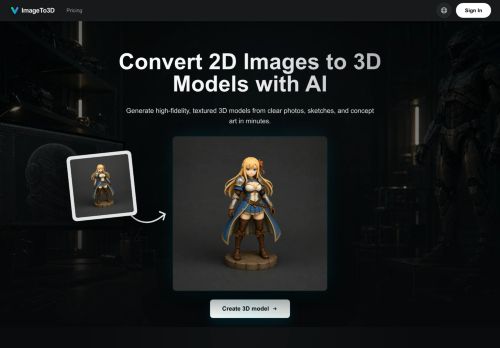
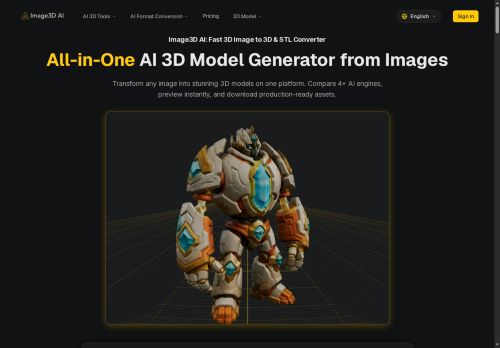
Supports PNG, JPEG, and WEBP inputs and provides Normal, Low-Poly, and Geometry generation modes with optional PBR texturing.
Multi-view reconstructs physically accurate models from multiple angles for 3D printing and product capture; single-image creates volumetric models from logos, sketches, and flat designs.
Outputs include print-ready STL and game-ready OBJ/GLB with Unity and Unreal compatibility for AR, e-commerce, and real-time workflows.
Typical generation time is ~30–60 seconds; recommended inputs are high-contrast images with clear outlines and simple backgrounds.
Use cases include image-to-STL conversion for 3D printing, rapid prototyping, e-commerce AR previews, game asset creation, and architectural model generation.
Key Features
- 2D-to-3D conversion using Tencent Hunyuan 3D producing STL, OBJ, and GLB files
- Single-image and multi-view input modes (multi-angle reconstruction)
- Multiple generation modes: Normal, Low Poly, and Geometry (mesh-only)
- Automatic PBR material generation for textured outputs
- Fast AI inference (~30–60 seconds), supports PNG/JPEG/WEBP inputs (max 10MB)
Use Cases
- Convert product photos into print-ready STL files using Image3D AI from a single image or multi-view set, selecting Normal/Low‑Poly/Geometry modes and optional PBR texturing to rapidly prototype and 3D print physical models without CAD skills
- Create optimized game and AR assets by turning concept art, PNGs or JPEG sprites into low‑poly OBJ or GLB models with PBR textures and multi-view reconstruction, exporting game-ready geometry and materials for engines and immersive AR experiences
- Generate interactive 3D product previews and web/AR models for e-commerce by converting multiple photos into GLB/OBJ with automatic texturing and performance-tuned meshes, enabling immersive previews and printable prototypes
Who is it for?
- 3d printing enthusiasts
- Ar/vr developers
- Game asset creators
- Prototyping designers
- Digital artists
Based on 7 verified user reviews — Average rating: 4.00/5

@marytorres1543
TurkeyI have been using Image3D AI for a few weeks on real client work, not just demos. The first week was mostly learning prompts and figuring out which templates stick. After that, drafting time dropped noticeably — especially for outlines, email replies, and first-pass summaries. It is not flawless: long documents sometimes lose structure, and I still fact-check anything important. Still, for a busy week it has become one of the tools I open without thinking. If you already have a clear workflow, Image3D AI fits in cleanly. If you expect magic with zero editing, you will be disappointed. For me, the time saved on the boring middle steps is worth it.

@carlbrooks5175
TurkeyImage3D AI ile ilgili sürpriz, tercihleri ayarladıktan sonra sürtünmenin azalması oldu. Kısa bir kontrol listem var: hedef kitle, ton, zorunlu maddeler, istenmeyen ifadeler. Bunlarla çıktılar düzenli şekilde kullanılabilir oluyor. Olmadan sonuçlar genel kalıyor. Boş sayfadan başlamak yerine hızlıca iterasyon yapabilmek de büyük artı. Eksik gördüğüm yerler: daha iyi sürüm geçmişi ve net export seçenekleri. Yine de dağınık birkaç aracı elimden aldı. Puanım reklam değil, haftalık pratik faydaya göre.
More 3d AI Tools
Explore other 3d tools with user ratings, pricing details, and in-depth descriptions. Updated regularly by our editorial team.