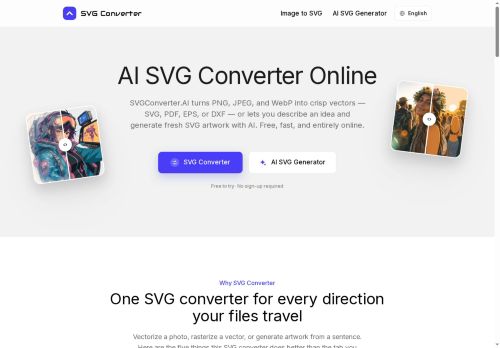

About SVGconverter AI
AI-assisted vectorization can generate SVG artwork from text prompts and produces layered, editable vectors with sensible paths, node structure, and clustered color palettes for logos and icon sets.The browser-based tool runs on macOS, Windows, Linux, ChromeOS and mobile devices with no installation required.
Export options align with web, print, embroidery, laser cutting and CAD workflows so files are ready for animation, production, or shop use.Outputs preserve sharp edges and scalable detail for high-resolution printing and precise CNC/CAD applications, and vector files remain compatible with Illustrator, Figma, Inkscape and CAD editors for further editing.
Key Features
- Convert PNG/JPEG/WebP raster images to SVG, PDF, EPS, and DXF vectors
- Convert SVG/PDF/EPS/DXF vector files to PNG, JPG, GIF, WebP, and AVIF raster formats
- AI-assisted vectorization from text prompts producing layered, editable SVGs with sensible paths, node structure, and clustered color palettes
- Browser-based, cross-platform operation on macOS, Windows, Linux, ChromeOS and mobile with no installation required
- Export and output options for web, print, embroidery, laser cutting and CAD workflows; outputs preserve sharp edges/scalable detail and remain compatible with Illustrator, Figma, Inkscape and CAD editors
Use Cases
- Convert low-resolution PNG/JPEG/WebP logos and illustrations into clean, scalable SVGs with AI-assisted vectorization, then export optimized SVG/PDF/EPS for web and high-resolution print without recreating artwork from scratch
- Turn typographic concepts or brand slogans into layered, editable vector text using the Text-to-SVG generator, refine paths for precision and export DXF/EPS/CAD files ready for CNC, laser cutting, and sign fabrication
- Prepare designs for apparel, embroidery, and laser engraving by converting raster images to high-resolution, color-separated layered vectors and exporting optimized SVG/PDF/EPS files compatible with embroidery machines, laser cutters, and print production
Who is it for?
- Graphic designers
- Illustrators
- Product designers
- Web designers
- Front-end developers
Based on 11 verified user reviews — Average rating: 3.55/5

@brittanycarter5746
TurkeyArayüzü temiz, çıktı kalitesi iyi. Günlük işlerimde sık kullanıyorum.

@stephenmiller3297
TurkeyHenüz olgun değil. Hızla ücrete takıldım, ücretsiz sonuçlar da çok zayıftı.
@joshualee6613
TurkeyGood value so far. The free tier was enough to evaluate, and the paid features feel justified.


@mariecastillo4901
TurkeySVGconverter AI ilk geçişler için işime yarıyor. Mükemmel değil ama faydalı.

@liayes1158
TurkeyOkay starter tool. I still edit a lot, but it beats a blank page.
More Vector Conversion AI Tools
Explore other vector conversion tools with user ratings, pricing details, and in-depth descriptions. Updated regularly by our editorial team.