
About Claude-devtools
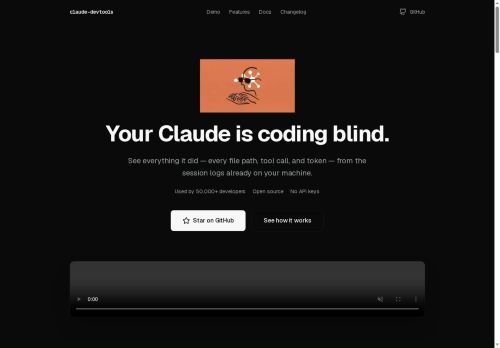
It reads local session logs (~/.claude/) to surface exact file paths, tool calls, tokens, and full execution traces for every session and agent.
Tool call inspector shows syntax-highlighted read calls, inline edit diffs, bash outputs, and expanded subagent execution trees.
Team and subagent trees display per-agent traces with token metrics, duration, and recursive execution visualization for developers, auditors, and security or QA teams.
Notification triggers support regex filters, .env access detection, token thresholds, and system alerts for errors or high usage.
SSH support inspects remote sessions via ~/.ssh/config with agent forwarding and key auth, and toggles between local and remote sessions.
Command palette enables cross-session search with highlighted context snippets; multi-pane layout allows side-by-side session comparison and drag-and-drop panes.
Deployments include macOS, Windows, Linux packages, Docker self-hosted browser UI (localhost.3456) with zero outbound network calls; project is open source under the MIT license.
Key Features
- Reconstructs Claude session context and provides per-turn token attribution across categories (global/project/directory context, skill activations, @-mentioned files, tool I/O, internal reasoning, team notes, user text)
- Reads local session logs (~/.claude/) to surface exact file paths, tool calls, tokens, and full execution traces for every session and agent
- Tool call inspector with syntax-highlighted read calls, inline edit diffs, bash outputs, and expanded subagent execution trees
- Team and subagent trees displaying per-agent traces with token metrics, duration, and recursive execution visualization
- SSH remote session inspection via ~/.ssh/config with agent forwarding and key authentication, and toggling between local and remote sessions
Use Cases
- Debug and optimize multi-agent AI workflows with claude-devtools by reconstructing full Claude session context, attributing tokens per turn across global/project/directory scopes, inspecting tool calls and recursive agent traces to find logic errors, bottlenecks, and reduce token costs
- Conduct security audits and incident forensics by using claude-devtools' SSH remote inspector, sensitive environment detection, exact execution traces and tool I/O logs to surface leaked secrets, unauthorized access, and produce verifiable audit trails for compliance
- Improve team collaboration and incident response by surfacing exact logs, per-agent metrics, alerts and a local browser UI to replay sessions, annotate decisions, trace failures across files/skills, and hand off reproducible debugging artifacts to engineers
Who is it for?
- Assistant developers
- Software engineers
- Devops engineers
- Open-source maintainers
- Security engineers
Based on 6 verified user reviews — Average rating: 4.00/5

@louishernandez9199
TurkeyBirkaç alternatifle karşılaştırdım; günlük kullanım için daha pratik geldi.

@brendagomez8285
TurkeyClaude-devtools is promising. A couple of features are missing, but the core is strong.

@jeffreyking6899
TurkeyNeeds serious improvement. Slow, inconsistent, and customer support was unhelpful.


@annalewis742
TurkeyI have been using Claude-devtools for a few weeks on real client work, not just demos. The first week was mostly learning prompts and figuring out which templates stick. After that, drafting time dropped noticeably — especially for outlines, email replies, and first-pass summaries. It is not flawless: long documents sometimes lose structure, and I still fact-check anything important. Still, for a busy week it has become one of the tools I open without thinking. If you already have a clear workflow, Claude-devtools fits in cleanly. If you expect magic with zero editing, you will be disappointed. For me, the time saved on the boring middle steps is worth it.

@kylealvarez7585
TurkeyMasaüstünde sorunsuz çalışıyor. Daha fazla dışa aktarma seçeneği olsa iyi olur.
More Software Testing AI Tools
Explore other software testing tools with user ratings, pricing details, and in-depth descriptions. Updated regularly by our editorial team.