
About Classroom Screen
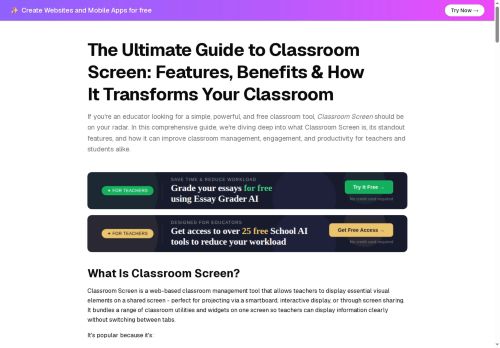
Classroom Screen is a web-based classroom management tool that displays essential visual elements on a shared screen for in-person, hybrid, and remote teaching.It consolidates interactive widgets—timers, clock, stopwatch, countdowns, polls, QR code generator, random name picker, group maker, and a noise level monitor—onto a single customizable dashboard to support classroom routines and pacing.
Teachers can use drawing and text widgets, upload backgrounds, embed YouTube videos, and annotate in real time to present instructions and lesson content without switching apps.Built-in engagement features (polls, random name picker, group maker) and visual signals (traffic light, work mode symbols) help manage behavior, participation, and transitions.
Workspace and layout saving, student name lists, and shareable screens support lesson planning, reuse, and collaboration among teachers.Classroom Screen integrates with video conferencing platforms for remote instruction while preserving interactive elements across hybrid sessions.
The tool supports classroom management, student engagement, and instructional clarity for elementary through secondary educators.
Key Features
Use Cases
Who is it for?
Teachers can use drawing and text widgets, upload backgrounds, embed YouTube videos, and annotate in real time to present instructions and lesson content without switching apps.Built-in engagement features (polls, random name picker, group maker) and visual signals (traffic light, work mode symbols) help manage behavior, participation, and transitions.
Workspace and layout saving, student name lists, and shareable screens support lesson planning, reuse, and collaboration among teachers.Classroom Screen integrates with video conferencing platforms for remote instruction while preserving interactive elements across hybrid sessions.
The tool supports classroom management, student engagement, and instructional clarity for elementary through secondary educators.
Key Features
- Customizable dashboard consolidating interactive widgets (timers, clock, stopwatch, countdowns, QR code generator, noise level monitor)
- Engagement and behavior tools: polls, random name picker, group maker, traffic light and work-mode symbols
- Drawing and text widgets, background uploads, YouTube embedding, and real-time annotation
- Workspace and layout saving, student name lists, and shareable screens for lesson reuse and teacher collaboration
- Integration with video conferencing platforms preserving interactive elements across hybrid and remote sessions
Use Cases
- Streamline classroom routines and transitions using Classroom Screen's timers, countdowns, visual behavior signals, and noise level monitor to keep whole-class activities on schedule and reduce disruptions
- Boost student engagement and formative assessment by using the random name picker, instant polls, drawing and text widgets, and embedded videos to call on learners, check understanding, and present interactive prompts
- Run hybrid and collaborative lessons effortlessly with the group maker, shareable layouts, video embedding, and remote-friendly widgets to organize breakout groups, differentiate tasks, and share activities with both in-person and remote students
Who is it for?
- Instructional coaches
- Edtech coordinators
- Elementary school teachers
- Middle school teachers
- High school teachers
Based on 1 verified user reviews — Average rating: 2.00/5

@sharonyoung6300
TurkeyNot ready yet. I hit paywalls quickly and the free results were too weak.
More Education AI Tools
Explore other education tools with user ratings, pricing details, and in-depth descriptions. Updated regularly by our editorial team.