
About Remover AI
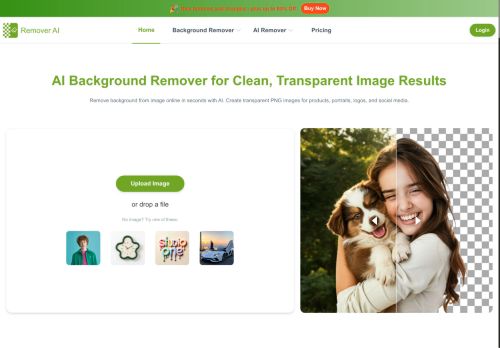
It supports common image formats and runs in desktop and mobile browsers (iPhone, Android) with no installation required.
Automatic subject detection and edge analysis preserve hair, facial contours, and fine details while removing complex or cluttered backgrounds.
An erase/refine tool enables manual adjustments to edges and unwanted areas, with export options for high-resolution transparent images.
Optimized for product photos, portraits, group shots, pets, and logos, it helps sellers, creators, and designers create consistent visuals for listings and portfolios.
Images are processed individually to maintain removal accuracy, with quick, secure processing and downloadable transparent PNGs.
Use cases include e-commerce listings, marketing materials, design assets, thumbnails, and personal branding workflows where clean, consistent cutouts are required.
Key Features
- Automatic subject detection and background removal with edge analysis that preserves hair, facial contours, and fine details
- Browser-based, cross-platform operation on desktop and mobile browsers (iPhone, Android) with no installation required
- Erase/refine manual tool for adjusting edges and removing unwanted areas
- Export options for high-resolution transparent images, including downloadable PNGs
- Supports common image formats; processes images individually for accurate, quick, and secure processing
Use Cases
- Prepare high-converting product images for your online store by automatically removing backgrounds and exporting high-resolution transparent PNGs optimized for e-commerce listings, preserving hair and fine edges for apparel and accessories while allowing manual refine for perfect thumbnails
- Create professional portraits and headshots for profiles, marketing materials, and press kits by isolating subjects with edge analysis to keep hair and facial details intact, producing transparent PNGs ready for custom backgrounds or consistent brand backdrops
- Batch process group shots, pet photos, and logos to generate clean transparent assets for catalogs, social posts, and print layouts using automatic background removal with manual touch-ups to handle complex edges and speed up asset management
Who is it for?
- E-commerce sellers
- Product photographers
- Portrait photographers
- Social media creators and influencers
- Graphic designers
- Marketing professionals
- Small business owners and shop owners
- Freelance designers and creatives
- Content creators and youtubers
- Advertising and design agencies
- Pet photographers and pet-related sellers
- Branding and visual identity specialists
Based on 12 verified user reviews — Average rating: 3.92/5

@louisbrown6116
TurkeyUsing Remover AI for drafts and summaries. Cuts friction without feeling complicated.

@rebeccacollins4776
TurkeyPerformance is consistent. I have not hit major bugs in two weeks of use.

@ethandiaz5514
TurkeyMixed results with Remover AI. Good on short tasks, weaker on longer ones.


@carlhughes7566
TurkeyClean interface and good output quality. I keep coming back to it for daily tasks.

@eirallis762
MexicoGood value for everyday tasks. Output needs light editing, which is fine.
More Background Removal AI Tools
Explore other background removal tools with user ratings, pricing details, and in-depth descriptions. Updated regularly by our editorial team.