
About CopilotHub
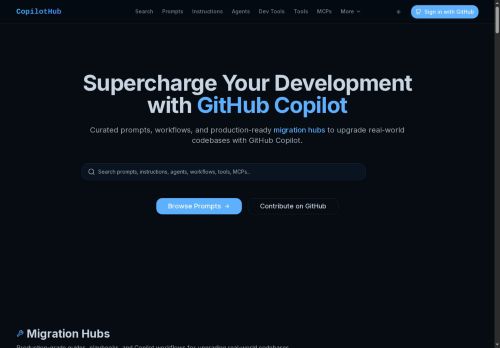
The directory also includes AI Agents, specialized assistants to facilitate complex development tasks, and MCP Servers, enabling users to enhance AI capabilities through Model Context Protocol servers.
Additionally, it provides essential Tools and Instructions aimed at maintaining consistent coding standards when using Copilot.Ideal for developers looking to optimize their workflow, all content is free, searchable, and regularly updated, complete with migration guides, code examples, and best practices for various platforms including Spring Boot, JavaScript, and TypeScript.
Key Features
- Curated repository of GitHub Copilot prompts, AI agents, development tools, and MCP server configurations
- Searchable, categorized prompts and agent instructions for code review, documentation, debugging, and automated refactoring
- Prebuilt transformation collections for codebase modernization (React class-to-hooks, Next.js pages-to-app, TypeScript conversions, React Router upgrades, Redux Toolkit refactors, Tailwind migrations)
- Backend and database prompts for SQL-to-ORM transformations, Prisma schema migrations, query optimization, and API client typing/documentation generation
- Workflow tools and extensions for CI and development environment integration, including templates for large-scale refactors, dependency updates, and runtime upgrades
Use Cases
- Modernize a React codebase using CopilotHub's class-to-functional migration and routing migration templates to automatically refactor components and update routes, producing commit-ready diffs while preserving app behavior without manual rewrites
- Migrate database access and CI pipelines using CopilotHub's sql-to-orm migration prompts and CI integration templates to generate ORM models, schema migration scripts, and automated tests, then validate changes in CI for safe, repeatable deployments
- Accelerate code review, static typing adoption, and documentation by using CopilotHub's curated prompts for static typing conversion, automated refactoring, and docs generation to produce consistent type annotations, up-to-date documentation, and reviewable PRs for team collaboration
Who is it for?
- Frontend developers
- Backend developers
- Engineering teams
- Code maintainers
- Devops engineers
Based on 8 verified user reviews — Average rating: 4.25/5

@catherineroberts8601
TurkeyUseful features without overwhelming menus. A practical AI addition to my toolkit.

@haroldmorgan999
TurkeyWorks smoothly on desktop. Would love more export options, but the core experience is good.

@gracegreen9928
TurkeyDaha iyi prompt yazınca çıktı kalitesi net yükseldi. Kullanışlı buldum.


@timothytaylor7442
TurkeyBenim kullanım alanıma yeterince isabetli. Destek dönüşleri de makul sürede geldi.

@petergray4805
TurkeyWhat surprised me about CopilotHub is how little friction there is once you set preferences. I keep a short checklist: audience, tone, must-include points, and forbidden phrases. With that, outputs are consistently usable. Without it, results feel generic. I also like that I can iterate quickly instead of restarting from a blank page. Missing features for me: better version history and clearer export options. Even so, it has replaced a couple of scattered tools in my stack. Rating reflects practical value in my week, not hype from the landing page.
More Developer tools AI Tools
Explore other developer tools tools with user ratings, pricing details, and in-depth descriptions. Updated regularly by our editorial team.