
About Bookfab
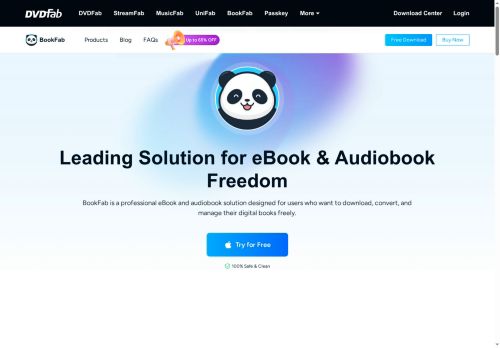
The tool includes DRM removal and a Calibre plugin to enable cross-device compatibility and archival backups. High-speed batch conversion processes multiple titles at once for library-scale workflows. An AI TTS engine with 20+ voice presets, adjustable prosody and expressivity, and voice cloning converts text and eBooks into audiobooks for offline playback.
Built-in browser login and download features let users access purchased libraries for offline listening and cross-device use. Suitable for readers, audiobook listeners, content creators, and library managers who need format conversion, metadata preservation, and offline access.
Key Features
- Remove DRM from eBooks and audiobooks (latest DRM decryption)
- Convert native eBook formats (AZW3, KFX, KePub) and manga to EPUB/PDF/JPEG while preserving original formatting and layout
- Download and convert audiobooks from platforms (Audible, audiobook.jp, etc.) to MP3, M4A, FLAC, WAV, or OPUS with chapters and metadata preserved
- AI TTS engine and voice cloning to generate audiobooks from text/EPUB with 20+ voice presets and adjustable prosody/expressivity
- High-speed batch conversion to process multiple titles simultaneously
Use Cases
- Create accessible audiobooks from your legally purchased eBooks using BookFab's AI TTS and voice cloning, converting batches to MP3/FLAC/OPUS while preserving formatting and metadata for offline listening
- Consolidate and migrate your personal library across platforms by batch-converting Kindle, Kobo and Audible purchases to EPUB/PDF with the Calibre plugin, maintaining metadata and layout for seamless reading on any device
- Make long-term, rights-compliant backups of books you own by converting and managing files offline, removing DRM only where you hold the legal right to do so, and organizing your archive with automated batch processing and metadata preservation
Who is it for?
- Format converters
- Drm removal seekers
- Digital archivists
- E-book enthusiasts
- Audiobook listeners
Based on 7 verified user reviews — Average rating: 3.57/5

@jenniferfoster8945
TurkeyI like Bookfab more than expected. Clean UX and dependable outputs.

@elijahlopez9460
TurkeyI have been using Bookfab for a few weeks on real client work, not just demos. The first week was mostly learning prompts and figuring out which templates stick. After that, drafting time dropped noticeably — especially for outlines, email replies, and first-pass summaries. It is not flawless: long documents sometimes lose structure, and I still fact-check anything important. Still, for a busy week it has become one of the tools I open without thinking. If you already have a clear workflow, Bookfab fits in cleanly. If you expect magic with zero editing, you will be disappointed. For me, the time saved on the boring middle steps is worth it.
More Text-to-speech AI Tools
Explore other text-to-speech tools with user ratings, pricing details, and in-depth descriptions. Updated regularly by our editorial team.