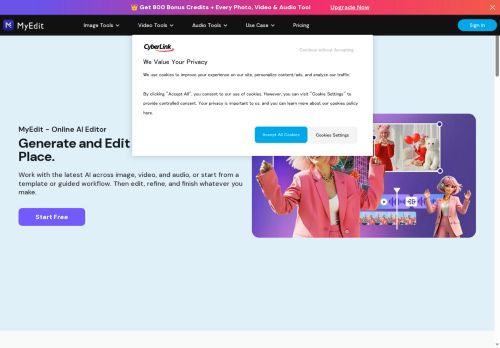

About MyEdit
It accepts common audio formats (MP3, WAV, FLAC, M4A) via drag-and-drop and runs in the browser across desktop and mobile platforms. Use cases include creating backing tracks for covers, preparing practice or performance tracks, and generating instrumentals for video content.
Key Features
- AI-powered automatic vocal separation to create instrumental/karaoke tracks
- Adjustable vocal-removal slider to control amount of vocals retained
- Pitch adjustment/transposition to change song key
- Supports MP3, WAV, FLAC, M4A with drag-and-drop upload and max 90 min / 900 MB file limits
- Browser-based, cross-platform (iPhone, Android, Windows, Mac) with no installation required
Use Cases
- Create karaoke practice tracks using Karaoke Maker's browser-based AI vocal isolation to remove vocals from MP3, WAV, FLAC, or M4A files, fine-tune vocal bleed and transpose pitch for comfortable rehearsals, and download ready-to-use instrumentals
- Produce studio-quality backing tracks for cover artists and live performers by removing vocals and controlling vocal bleed with Karaoke Maker, transpose songs to match your vocal range in-browser and export downloadable instrumental files for gigs or streaming
- Generate instrumental soundtracks for videos, podcasts, or social content using Karaoke Maker to isolate and remove vocals, adjust pitch to fit your project's key, and download high-quality instrumental files for editing and publishing
Who is it for?
- Music producers
- Audio engineers
- Vocalists
- Content creators
- Digital musicians
Based on 6 verified user reviews — Average rating: 3.33/5

@russellwalker1745
TurkeyI have been using MyEdit for a few weeks on real client work, not just demos. The first week was mostly learning prompts and figuring out which templates stick. After that, drafting time dropped noticeably — especially for outlines, email replies, and first-pass summaries. It is not flawless: long documents sometimes lose structure, and I still fact-check anything important. Still, for a busy week it has become one of the tools I open without thinking. If you already have a clear workflow, MyEdit fits in cleanly. If you expect magic with zero editing, you will be disappointed. For me, the time saved on the boring middle steps is worth it.
More Audio AI Tools
Explore other audio tools with user ratings, pricing details, and in-depth descriptions. Updated regularly by our editorial team.