
About FLORA
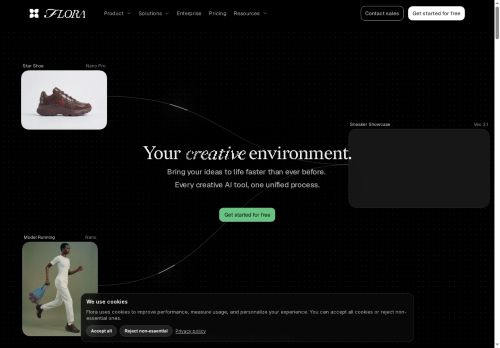
The platform offers 50+ models and reference-guided workflows to preserve style and subject consistency across images and video. Teams can iterate in real time on a shared canvas, collaborate on concepts, and move ideas from ideation to production without switching tools.
FLORA accommodates workflows across visual effects, fashion, advertising, photography, branding, motion, and architecture to produce consistent, on‑brand assets at scale. Integration and export features help streamline asset management and handoff for creative teams and production pipelines.
Key Features
- Inpaint, outpaint, and crop image editing tools
- Unified multimodal canvas combining text, image, and video models in one workspace
- Access to 50+ generative models (image, video, and multimodal) under a single subscription
- Text-driven video editing and real-time/fast video generation
- Control-guided image generation (depth-map, edge-map, multi-reference guidance)
Use Cases
- Produce on-brand marketing assets and short-form social videos using FLORA's multimodal canvas—leverage text-to-image and text-driven video editing with reference-guided consistency, inpainting/outpainting to adapt visuals across formats, collaborate in real-time with your team, and export production-ready files without coding
- Quickly retouch and extend product photos or campaign stills with FLORA's inpainting and outpainting tools to create hero images, lifestyle variants and size-optimized ad creatives, enforce brand consistency via reference-guided workflows, iterate with stakeholders live, and deliver ready-to-use assets for web and social
- Create polished explainer or tutorial videos by turning scripts into visuals with text-to-image, then use FLORA's text-driven video editing to animate, refine or reframe shots—maintain frame-to-frame consistency with reference-guided models, collaborate in real-time with editors, and export broadcast- or platform-ready video files
Who is it for?
- Digital artists
- Video editors
- Design teams
- Content creators
- Production studios
Based on 5 verified user reviews — Average rating: 3.80/5

@dorothyjames1631
TurkeyI have been using FLORA for a few weeks on real client work, not just demos. The first week was mostly learning prompts and figuring out which templates stick. After that, drafting time dropped noticeably — especially for outlines, email replies, and first-pass summaries. It is not flawless: long documents sometimes lose structure, and I still fact-check anything important. Still, for a busy week it has become one of the tools I open without thinking. If you already have a clear workflow, FLORA fits in cleanly. If you expect magic with zero editing, you will be disappointed. For me, the time saved on the boring middle steps is worth it.

@lindawright3523
TurkeyI like FLORA more than expected. Clean UX and dependable outputs.

@athanrake4418
MexicoThree stars. Works, just nothing special compared with alternatives.


@heatherprice6914
TurkeyWhat surprised me about FLORA is how little friction there is once you set preferences. I keep a short checklist: audience, tone, must-include points, and forbidden phrases. With that, outputs are consistently usable. Without it, results feel generic. I also like that I can iterate quickly instead of restarting from a blank page. Missing features for me: better version history and clearer export options. Even so, it has replaced a couple of scattered tools in my stack. Rating reflects practical value in my week, not hype from the landing page.

@alicemoore4949
TurkeyOkay starter tool. I still edit a lot, but it beats a blank page.
More Images AI Tools
Explore other images tools with user ratings, pricing details, and in-depth descriptions. Updated regularly by our editorial team.