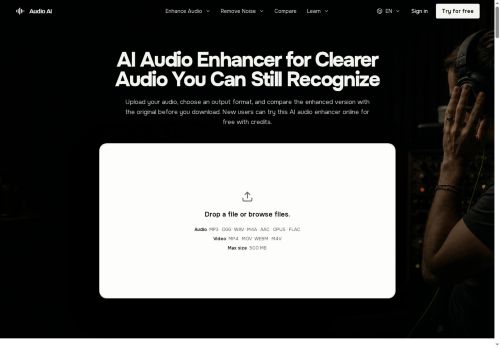

About AudioAI.io
Preserves intentional music, ambience and room tone while balancing levels and keeping pauses and transients natural.Addresses noisy environments (traffic, wind, fans), low-level speech and overlapping talk so key words and quiet consonants are easier to hear.
Workflow is.upload, select output, generate preview, compare versions, download; the original file remains unchanged.Suitable for podcasters, interviewers, educators, journalists, video creators and musicians needing noise removal, voice enhancement, echo reduction and quick format conversion for post-production or distribution.
Key Features
- Background noise removal (handles traffic, wind, fans)
- Echo and distortion reduction
- Automatic volume leveling and level balancing
- Enhancement of low-level and overlapping speech (buried voice enhancement)
- Supports multiple input formats (mp3,wav,m4a,aac,ogg,opus,flac,video) and configurable output format conversion (mp3,aac,m4a,ogg,opus,flac,wav)
Use Cases
- Polish podcasts, interviews and voice-overs using AI Audio Enhancer to remove background noise, reduce echo and even levels—preview and compare enhanced output in multiple formats, preserve music and room tone, then download broadcast-ready files without extra tools
- Recover and clarify low-level or overlapping speech from interviews, depositions and field recordings by separating overlapping voices, boosting intelligibility and cutting distortion so transcripts, reporting and legal evidence become usable and accurate
- Clean and prepare audio from video productions and on-location shoots by removing noise and echo, balancing levels and converting formats—compare enhancements before download and drop the improved tracks directly into your editing timeline
Who is it for?
- Podcast creators
- Music creators
- Video creators
- Interviewing staff
- Learning instructors
Based on 4 verified user reviews — Average rating: 4.25/5

@louisbrown6116
TurkeyI have been using AudioAI.io for a few weeks on real client work, not just demos. The first week was mostly learning prompts and figuring out which templates stick. After that, drafting time dropped noticeably — especially for outlines, email replies, and first-pass summaries. It is not flawless: long documents sometimes lose structure, and I still fact-check anything important. Still, for a busy week it has become one of the tools I open without thinking. If you already have a clear workflow, AudioAI.io fits in cleanly. If you expect magic with zero editing, you will be disappointed. For me, the time saved on the boring middle steps is worth it.

@oliviapatel7452
TurkeyWhat surprised me about AudioAI.io is how little friction there is once you set preferences. I keep a short checklist: audience, tone, must-include points, and forbidden phrases. With that, outputs are consistently usable. Without it, results feel generic. I also like that I can iterate quickly instead of restarting from a blank page. Missing features for me: better version history and clearer export options. Even so, it has replaced a couple of scattered tools in my stack. Rating reflects practical value in my week, not hype from the landing page.

@timothymiller8255
TurkeyExactly what I needed for quick iterations. Recommend for freelancers and small teams.


@cynthiaadams1753
TurkeyReally useful for my workflow. Setup was quick and the results were better than I expected.
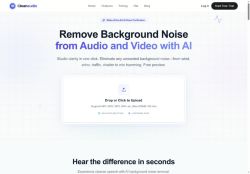
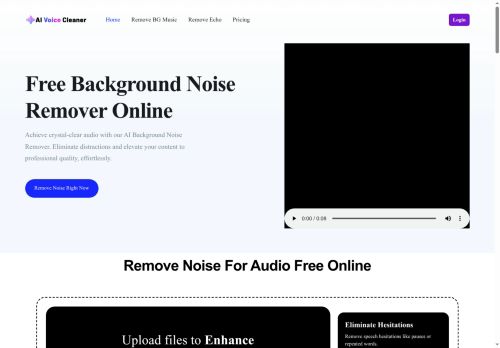
More Noise cancellation AI Tools
Explore other noise cancellation tools with user ratings, pricing details, and in-depth descriptions. Updated regularly by our editorial team.