
About Nuraform
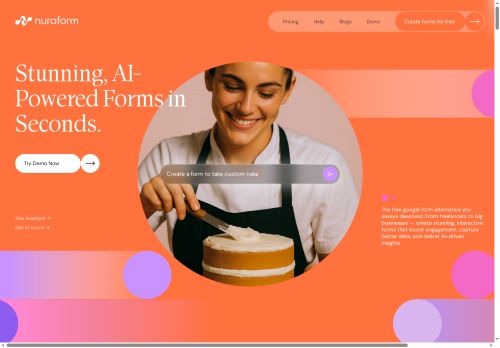
Templates and three AI modes let freelancers, founders, creators, consultants, educators, and community managers create and refine forms quickly without manual question-writing. Custom branding, redirect-after-completion, custom layouts, animated backgrounds, and mobile-responsive designs help forms match site style and behave like landing pages.
Built-in sharing and tracking remove the need for third-party link trackers and support performance monitoring across campaigns. Exportable results and AI-written summaries streamline data collection, respondent follow-ups, and workflow handoffs for onboarding, feedback, signups, and internal surveys.
Key Features
- One-click AI form generation from a natural-language prompt
- AI-generated questions with appropriate input types, logic, and auto-generated follow-up questions
- Conversational editor to brainstorm, add, or refine questions (three AI modes)
- Built-in analytics and tracking: views, drop-off rate, completion rate, time-on-form (no third-party trackers)
- AI-powered summaries and per-submission insights
Use Cases
- Create polished, branded client onboarding forms using Nuraform from a single prompt—complete with smart branching logic, custom input types, automated follow-ups, shareable templates and exportable results so your team can onboard clients faster
- Build high-converting lead capture and qualification flows with Nuraform, auto-generating questions, responsive layouts, tracking links and conversion analytics while using per-form and per-submission AI summaries to prioritize hot leads and automate next steps
- Design customer feedback, NPS and product research surveys using Nuraform's templates and branching logic, get instant AI summaries and granular form analytics, then export segmented results for product and marketing teams to act on quickly
Who is it for?
- Digital marketers
- Data analysts
- Product designers
- E-commerce sellers
- Content creators
Based on 6 verified user reviews — Average rating: 3.33/5

@amandarichardson1055
TurkeyWhat surprised me about Nuraform is how little friction there is once you set preferences. I keep a short checklist: audience, tone, must-include points, and forbidden phrases. With that, outputs are consistently usable. Without it, results feel generic. I also like that I can iterate quickly instead of restarting from a blank page. Missing features for me: better version history and clearer export options. Even so, it has replaced a couple of scattered tools in my stack. Rating reflects practical value in my week, not hype from the landing page.

@mployee_me0696
TurkeyNuraform beklediğimden daha iyi. Temiz arayüz ve güvenilir çıktılar.

@susanrichardson6522
TurkeyBelow expectations. Occasional useful bits, but too many errors to trust for real work.


@russelljohnson7356
TurkeyHızlı denemeler için tam istediğim şey. Freelancer ve küçük ekiplere öneririm.

@amywilson306
TurkeyHenüz olgun değil. Hızla ücrete takıldım, ücretsiz sonuçlar da çok zayıftı.
More Form Builder AI Tools
Explore other form builder tools with user ratings, pricing details, and in-depth descriptions. Updated regularly by our editorial team.