
About AI Garden
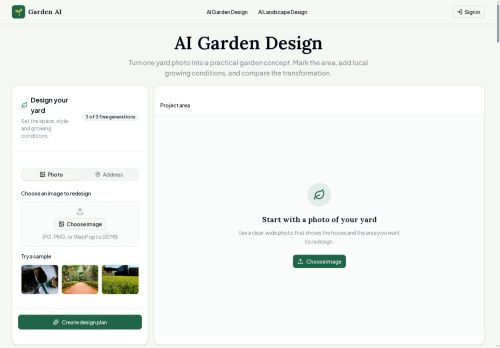
Specify local data — city/region, USDA hardiness zone (1a–13b), sunlight, and slope — to guide plant selection and material choices.Choose from multiple garden styles (English, cottage, modern, naturalistic, coastal, desert, tropical, Mediterranean, Japanese, edible, play-focused) and generate alternate design versions for comparison.
Review a written planting and layout plan, request plain-language adjustments, and render revised visual concepts while retaining the original photo for side-by-side comparison.Homeowners evaluate curb appeal and planting density, gardeners test plant mixes and pollinator borders, and landscape professionals use designs as client-facing visuals and site-assessment tools.
Key Features
- Converts yard photos into landscape design concepts using image-guided editing and site-condition inputs
- Smart selection tools (mask, circle, outline) to mark target areas and preserve unselected elements
- Accepts local data (city/region, USDA hardiness zone, sunlight, slope) to guide plant selection and material choices
- Offers multiple garden styles and generates alternate design versions for comparison
- Generates written planting and layout plans and applies plain-language adjustments to produce revised visual renders while retaining the original photo for side-by-side comparison
Use Cases
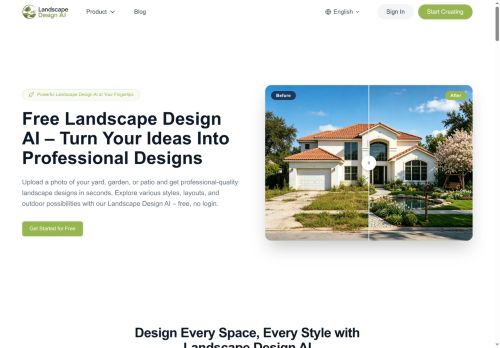
- Transform a photo of your front yard into a curb-appeal landscape package using AI Garden Design—automatically generate style-specific layouts, plant palettes matched to your USDA hardiness zone and sunlight, and before/after visualizations to share with realtors or contractors
- Help professional landscapers create installation-ready planting plans and client proposals by uploading site photos; AI Garden Design uses smart selection masks, slope and regional data to produce annotated planting layouts, material lists, and multiple revised visual alternatives for client approval
- Convert patios, beds or community green spaces into pollinator-friendly, low-maintenance gardens with AI Garden Design—photo-guided plans that select region-appropriate pollinator species, optimize placement for sun and slope, and deliver printable planting maps for volunteers or maintenance crews
Who is it for?
- Landscape designers
- Landscape developers
- Landscape managers
- Landscape administrators
- Gardeners
Based on 6 verified user reviews — Average rating: 4.00/5

@ralphsmith8700
TurkeyAI Garden araçını birkaç haftadır gerçek işlerde deniyorum; sadece demo değil. İlk hafta prompt alışkanlığı kazanmakla geçti. Sonrasında özellikle taslak, e-posta yanıtı ve özet işlerinde süre belirgin düştü. Kusursuz değil: uzun metinlerde yapı bozulabiliyor ve kritik noktaları mutlaka kontrol ediyorum. Yine de yoğun bir haftada düşünmeden açtığım araçlardan biri oldu. Net bir iş akışınız varsa AI Garden kolay oturuyor. Sıfır düzenlemeyle sihir bekliyorsanız hayal kırıklığı olur. Benim için sıkıcı ara adımları kısaltması yeterli sebep.

@isabellarogers1998
TurkeyWorks smoothly on desktop. Would love more export options, but the core experience is good.

@douglasreyes3067
TurkeyPerformansı tutarlı. İki haftalık kullanımda ciddi bir hata görmedim.


@anthonymorris5099
TurkeyReally useful for my workflow. Setup was quick and the results were better than I expected.

@masonsmith7691
TurkeyAccurate enough for my use case. Support responses were also reasonably quick.
More Landscape Design AI Tools
Explore other landscape design tools with user ratings, pricing details, and in-depth descriptions. Updated regularly by our editorial team.