
About ClaimResolver AI
Upload and organize receipts, messages, contracts, photos, and timelines in a single case workspace to maintain courtroom-ready documentation.California filing fields and self-help checklists support initial court filing; additional state workflows are planned.
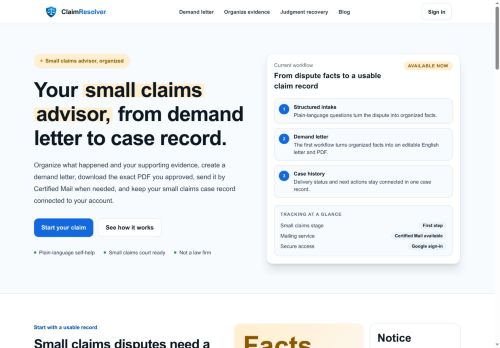
Features support self-represented litigants, consumers, small businesses, and legal support staff who need demand letters, evidence organization, certified-mail tracking, and case history.Claims, drafts, mailing orders, and delivery updates remain connected to a user account via Google sign-in; the tool provides editable AI-assisted drafts and clarifies that it is a self-help platform, not legal advice.
Key Features
- Convert plain-language intake into structured case records
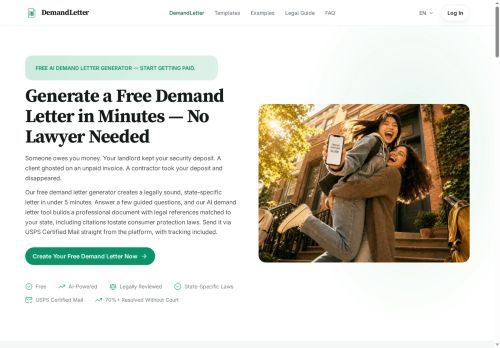
- Generate editable demand letters and download court-ready PDFs
- Send certified mail with delivery tracking linked to a case
- Centralized evidence workspace to upload and organize receipts, messages, contracts, photos, and timelines
- State-specific filing fields and self-help checklists (California support; additional state workflows planned)
Use Cases
- Draft a court-ready small-claims demand letter from plain-language intake using ClaimResolver’s AI-assisted templates, edit the letter as needed, export a downloadable court-ready PDF (California-compliant) and send certified mail with delivery tracking for proof of service
- Organize and strengthen evidence for self-represented litigants in a centralized workspace, attach photos/documents to filing checklists, automatically generate the required PDF packet for court, and monitor certified-mail receipts to support your claim
- Prepare and manage a small-claims case without a lawyer by converting conversational case details into structured legal drafts, collaborate on editable demand letters, produce court-ready PDFs for filing, and track certified-mail delivery and filing milestones
Who is it for?
- Document writers
- Small business owners
- Legal support staff
- Claim filers
- Legal students
Based on 7 verified user reviews — Average rating: 3.71/5

@dorismartin8951
TurkeyClaimResolver AI ile taslak ve özet çıkarıyorum. Karmaşık hissettirmeden sürtünmeyi azaltıyor.

@aliceruiz9611
TurkeyI have been using ClaimResolver AI for a few weeks on real client work, not just demos. The first week was mostly learning prompts and figuring out which templates stick. After that, drafting time dropped noticeably — especially for outlines, email replies, and first-pass summaries. It is not flawless: long documents sometimes lose structure, and I still fact-check anything important. Still, for a busy week it has become one of the tools I open without thinking. If you already have a clear workflow, ClaimResolver AI fits in cleanly. If you expect magic with zero editing, you will be disappointed. For me, the time saved on the boring middle steps is worth it.

@michaelmorgan5337
TurkeyClean interface and good output quality. I keep coming back to it for daily tasks.


@kylehoward2285
TurkeySolid tool overall. A few rough edges, but it saves me time every week.

@jeremyparker9688
TurkeyTried ClaimResolver AI for a week and it stuck. Good balance of quality and simplicity.
More Legal AI Tools
Explore other legal tools with user ratings, pricing details, and in-depth descriptions. Updated regularly by our editorial team.