
About Onlinevocalremover.com
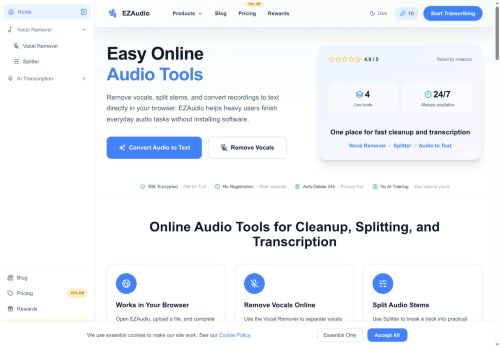
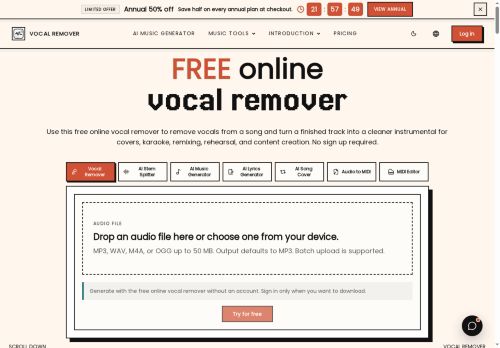
Online Vocal Remover is a browser-based AI vocal removal and stem-splitting tool for creating instrumental tracks, acapellas, and backing stems.It supports mp3, wav, m4a, and ogg uploads (up to 50 MB), offers quick preview playback, and provides downloadable stems with batch upload support.
Typical use cases include karaoke and rehearsal backing tracks, cover practice, remix prep, music education and ear-training, and social content creation.Features include in-browser processing without desktop software, stem preview before download, and workflow support for producers to analyze chords, drums, and arrangements.
Separation quality depends on source mix and bitrate; users may encounter residual vocal traces, reverb tails, or artifacts requiring DAW editing.Recommendations.upload the highest-quality file available, check results on headphones and speakers, and confirm usage rights before public distribution.
Key Features
Use Cases
Who is it for?
Typical use cases include karaoke and rehearsal backing tracks, cover practice, remix prep, music education and ear-training, and social content creation.Features include in-browser processing without desktop software, stem preview before download, and workflow support for producers to analyze chords, drums, and arrangements.
Separation quality depends on source mix and bitrate; users may encounter residual vocal traces, reverb tails, or artifacts requiring DAW editing.Recommendations.upload the highest-quality file available, check results on headphones and speakers, and confirm usage rights before public distribution.
Key Features
- Browser-based AI vocal removal and stem-splitting (in-browser processing)
- Supports mp3, wav, m4a, and ogg uploads (up to 50 MB)
- Quick preview playback and stem preview before download
- Downloadable stems with batch upload support
- Workflow support for producers to analyze chords, drums, and arrangements
Use Cases
- Create remix-ready stem packs from your existing MP3, WAV, M4A or OGG files using the browser-based AI vocal remover and stem splitter without installing software—batch upload tracks up to 50 MB, preview instrumentals and acapellas in-browser, then download clean stems for sampling, arranging and DJ-friendly remixes
- Create karaoke backing tracks and rehearsal stems for singers and bands by extracting instrumentals, isolated vocals and backing stems directly in your browser; quickly audition separations with in-browser previews and download stems to build practice sessions, live sets or backing tracks for performances
- Create detailed sonic analyses and sampling libraries by separating vocals, harmonies and percussion into downloadable stems with the online stem splitter—use acapellas for transcription or sampling, run batch uploads to process albums or playlists, and perform production analysis and arrangement study without leaving the browser
Who is it for?
- Remix producers
- Music producers
- Content creators
- Audio engineers
- Music teachers
No review yet!
More Audio editing AI Tools
Explore other audio editing tools with user ratings, pricing details, and in-depth descriptions. Updated regularly by our editorial team.