
About H3max.ai
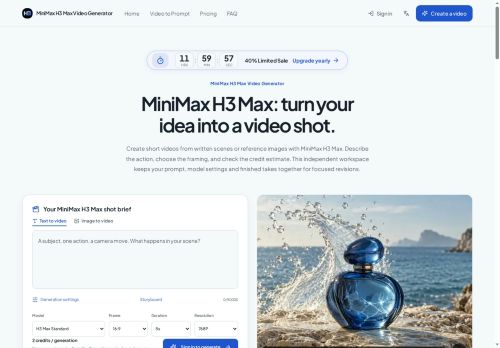
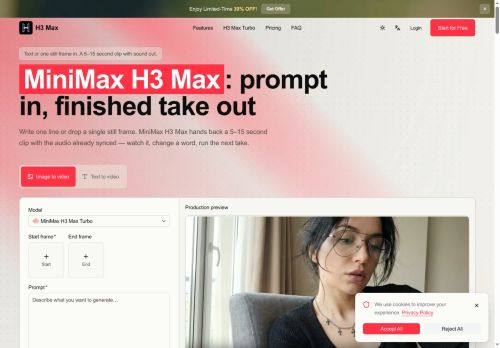
MiniMax H3 Max is a text-to-video and image-to-video generator that produces 5–15 second clips with native, synced audio.
Generate a clip from a single sentence prompt or a start frame, with an optional end frame to pin motion and timing.
Renders dialogue and sound effects in the same pass, with lip-synced speech available in multiple languages.
Supports an iterative draft workflow with quick previews and higher-quality re-renders for final takes.
Preserves on-screen text and branding to maintain legibility through the render.
Provides controls for clip length, framing, and model tuning to emphasize prompt adherence and repeatable outputs.
Key Features
Use Cases
Who is it for?
Generate a clip from a single sentence prompt or a start frame, with an optional end frame to pin motion and timing.
Renders dialogue and sound effects in the same pass, with lip-synced speech available in multiple languages.
Supports an iterative draft workflow with quick previews and higher-quality re-renders for final takes.
Preserves on-screen text and branding to maintain legibility through the render.
Provides controls for clip length, framing, and model tuning to emphasize prompt adherence and repeatable outputs.
Key Features
- Text-to-video and image-to-video generation with native, synced audio
- Generate from a single-sentence prompt or a start frame with an optional end frame to pin motion and timing
- Renders dialogue and sound effects in the same pass with lip-synced speech available in multiple languages
- Preserves on-screen text and branding to maintain legibility through the render
- Controls for clip length, framing, and model tuning to emphasize prompt adherence and repeatable outputs
Use Cases
- Create short, branded social media clips from product images or blog excerpts using MiniMax H3 Max to generate 5–15 second videos with native, lip‑synced multilingual voiceovers, preserving on‑screen text/branding and fine‑tuning timing and framing through iterative preview and re‑render workflows
- Produce localized promo and ad variations by converting key marketing copy or images into attention‑grabbing short videos with accurate lip‑synced speech in multiple languages, using model tuning to match tone and iterative drafts to perfect CTA placement without losing existing on‑screen text
- Turn training tips, onboarding steps, or announcements into concise 5–15 second microlearning videos from screenshots or scripts, retaining labels/branding, adjusting start‑to‑end frame control for clarity, and generating synchronized voiceovers for global distribution
Who is it for?
- Social media creators and influencers
- Marketing and advertising agencies
- Brand managers and product marketers
- Video producers and post-production studios
- Independent filmmakers and directors
- E-learning creators and instructional designers
- Localization and dubbing teams
- Small business owners and startups
- Motion designers and ui/ux designers
- Game developers and publishers
No review yet!
More Text-to-video AI Tools
Explore other text-to-video tools with user ratings, pricing details, and in-depth descriptions. Updated regularly by our editorial team.