
About MarkItDown
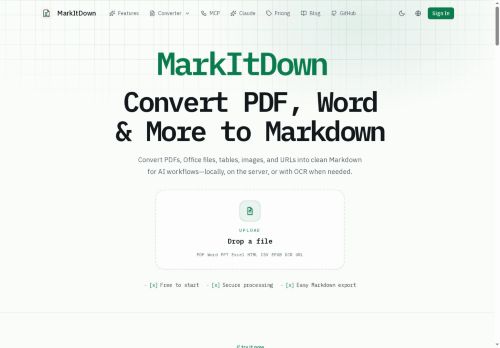
MarkItDown converts PDFs, Office documents, web pages, images, and tabular data into clean Markdown for LLM prompts, retrieval-augmented generation, and search/indexing.
It preserves document structure—headings, lists, tables, links, inline formatting, code blocks, LaTeX, and diagrams—so converted content remains readable and machine-usable.
The tool offers browser-local or server parsing paths with selectable OCR modes (local or AI-powered) for scanned documents and images.
Users can inspect raw output, edit in a built-in editor, and export Markdown for downstream workflows.
MarkItDown is built on the open-source Microsoft MarkItDown project and can run as a self-hosted service or an online converter.
Conversion outputs are formatted for integration into LLM pipelines, vector databases, documentation repositories, and development workflows.
Key Features
Use Cases
Who is it for?
It preserves document structure—headings, lists, tables, links, inline formatting, code blocks, LaTeX, and diagrams—so converted content remains readable and machine-usable.
The tool offers browser-local or server parsing paths with selectable OCR modes (local or AI-powered) for scanned documents and images.
Users can inspect raw output, edit in a built-in editor, and export Markdown for downstream workflows.
MarkItDown is built on the open-source Microsoft MarkItDown project and can run as a self-hosted service or an online converter.
Conversion outputs are formatted for integration into LLM pipelines, vector databases, documentation repositories, and development workflows.
Key Features
- Converts PDFs, Office documents, web pages, images, and tabular data into clean Markdown
- Preserves document structure and formatting (headings, lists, tables, links, inline formatting, code blocks, LaTeX, diagrams)
- Supports browser-local or server-side parsing with selectable OCR modes (local or AI-powered) for scanned documents and images
- Provides raw-output inspection, built-in editor, and Markdown export
- Formats conversion outputs for integration with LLM pipelines, vector databases, documentation repositories, and development workflows
Use Cases
- Convert academic papers, PDFs and lecture slides into research-ready Markdown with MarkItDown, preserving headings, LaTeX equations, code blocks, diagrams and references for note-taking, version control, LLM fine-tuning and export to search indexes — OCR included for scanned pages
- Transform invoices, financial reports and tabular data from PDFs, images or Office files into clean, structured Markdown and CSV-ready tables, using OCR and local/server parsing to integrate into analytics or accounting pipelines without manual reformatting
- Turn Word docs, web pages and product collateral into editable, SEO-friendly Markdown for documentation sites and knowledge bases, retaining links, lists, diagrams and code examples and enabling self-hosted conversion and export for LLMs and search
Who is it for?
- Software developers
- Machine learning engineers
- Prompt engineers
- Data scientists
- Nlp/ai researchers
- Knowledge managers
- Technical writers and documentation teams
- Devops / self-host administrators
- Product managers
- Legal and compliance teams
- Content creators and educators
No review yet!
More Document assistant AI Tools
Explore other document assistant tools with user ratings, pricing details, and in-depth descriptions. Updated regularly by our editorial team.