
About Palmier Pro
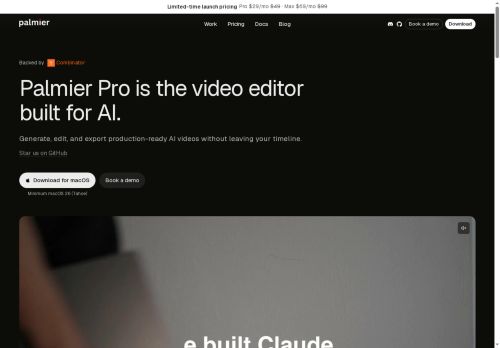
It provides automated content generation, scene assembly, and editable timelines for precise cuts and rearrangements.
Agent workflows enable task automation, scripted actions, and multi-step media processing for recurring production tasks.
Collaboration features include team projects, focused review sessions, and live walkthrough demos for onboarding and handoffs.
Native macOS support and export options cover common video formats and development workflows, including GitHub integration.
Designed for content creators, video editors, and product teams seeking streamlined AI-assisted video production.
Key Features
- Timeline-based editing with integrated AI generation
- Automated content generation
- Scene assembly with editable timelines for precise cuts and rearrangements
- Agent workflows for task automation, scripted actions, and multi-step media processing
- Native macOS support and export options for common video formats and GitHub integration
Use Cases
- Create polished social media video series using Palmier's AI timeline editor to automatically generate scenes, assemble clips, and apply consistent branding, collaborate in-app on macOS, and export version-controlled projects to GitHub for continuous iteration
- Automate long-form video production by converting scripts into multi-scene timelines with AI agent workflows that generate B-roll, captions, and transitions, then refine using editable timelines and multi-step media processing before GitHub-compatible export
- Run collaborative review and localization workflows - share editable timelines with stakeholders, track and merge revisions via version-control export, let AI agents produce language variants, subtitles, and audio mixes, and maintain an auditable project history in GitHub
Who is it for?
- Software developers
- Video editors
- Content creators
- Product teams
- Creative teams
Based on 8 verified user reviews — Average rating: 4.13/5

@aitone4111
TurkeyPalmier Pro araçını düzenli kullanıyorum. Brief netse zaman kazandırıyor.

@christinabennett6256
TurkeyI have been using Palmier Pro for a few weeks on real client work, not just demos. The first week was mostly learning prompts and figuring out which templates stick. After that, drafting time dropped noticeably — especially for outlines, email replies, and first-pass summaries. It is not flawless: long documents sometimes lose structure, and I still fact-check anything important. Still, for a busy week it has become one of the tools I open without thinking. If you already have a clear workflow, Palmier Pro fits in cleanly. If you expect magic with zero editing, you will be disappointed. For me, the time saved on the boring middle steps is worth it.

@jessesanchez9876
TurkeyI have been using Palmier Pro for a few weeks on real client work, not just demos. The first week was mostly learning prompts and figuring out which templates stick. After that, drafting time dropped noticeably — especially for outlines, email replies, and first-pass summaries. It is not flawless: long documents sometimes lose structure, and I still fact-check anything important. Still, for a busy week it has become one of the tools I open without thinking. If you already have a clear workflow, Palmier Pro fits in cleanly. If you expect magic with zero editing, you will be disappointed. For me, the time saved on the boring middle steps is worth it.


@christiandavis6798
TurkeyReliable enough for production drafts. I edit the output, but the first pass is strong.

@austinpatel3822
TurkeyWhat surprised me about Palmier Pro is how little friction there is once you set preferences. I keep a short checklist: audience, tone, must-include points, and forbidden phrases. With that, outputs are consistently usable. Without it, results feel generic. I also like that I can iterate quickly instead of restarting from a blank page. Missing features for me: better version history and clearer export options. Even so, it has replaced a couple of scattered tools in my stack. Rating reflects practical value in my week, not hype from the landing page.
More Video Editing AI Tools
Explore other video editing tools with user ratings, pricing details, and in-depth descriptions. Updated regularly by our editorial team.