
About Presentation Maker - Design.com
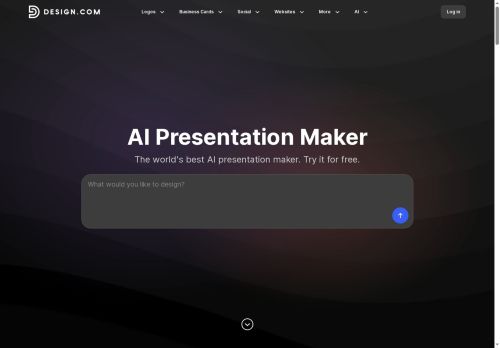
Easily customize with a drag-and-drop editor, swapping fonts, colors, and elements to achieve a premium aesthetic.Smart layout suggestions guide you toward optimal readability.Key features include automatic brand matching (applying your logo’s style across all slides), an integrated AI logo generator, and export options for PowerPoint and Google Slides.
Create engaging infographics with built-in tools, and leverage the extensive media library of images and icons.It's beginner-friendly, offering a “Generate → Customize → Download” workflow.Perfect for entrepreneurs, marketers, or anyone needing polished presentations quickly – download your fully branded presentation today! The AI Presentation Maker also seamlessly integrates with other Design.com tools like social media templates and digital business cards.
Key Features
- AI Slide Generation
- Extensive Template Library (589,000+)
- Brand Matching (Logo Integration & Color Palette)
- Drag-and-Drop Visual Editor
- Smart Layout Suggestions
- Infographic Tools
- Large Media Library (Images & Icons)
- Export to PowerPoint/Google Slides
- Beginner-Friendly Workflow (Generate -> Customize -> Download)
Use Cases
- Creating engaging pitch decks for investors or clients.
- Designing visually appealing sales reports and marketing materials.
- Developing professional presentations for webinars, conferences, or internal training.
Who is it for?
- Presentation designers
- Marketing strategists
- Sales teams
- Educators
- Creative hobbyists
Based on 3 verified user reviews — Average rating: 3.33/5

@gregorylopez677
TurkeyPresentation Maker - Design.com araçını birkaç haftadır gerçek işlerde deniyorum; sadece demo değil. İlk hafta prompt alışkanlığı kazanmakla geçti. Sonrasında özellikle taslak, e-posta yanıtı ve özet işlerinde süre belirgin düştü. Kusursuz değil: uzun metinlerde yapı bozulabiliyor ve kritik noktaları mutlaka kontrol ediyorum. Yine de yoğun bir haftada düşünmeden açtığım araçlardan biri oldu. Net bir iş akışınız varsa Presentation Maker - Design.com kolay oturuyor. Sıfır düzenlemeyle sihir bekliyorsanız hayal kırıklığı olur. Benim için sıkıcı ara adımları kısaltması yeterli sebep.

@timothymurphy7453
TurkeyNot ready yet. I hit paywalls quickly and the free results were too weak.
@dpzjay
TurkeyClean interface and good output quality. I keep coming back to it for daily tasks.

More Presentations AI Tools
Explore other presentations tools with user ratings, pricing details, and in-depth descriptions. Updated regularly by our editorial team.