
About Transcribe Video AI
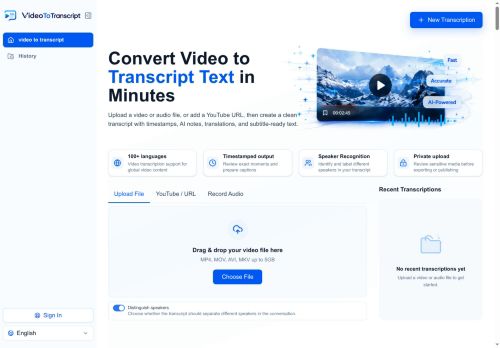
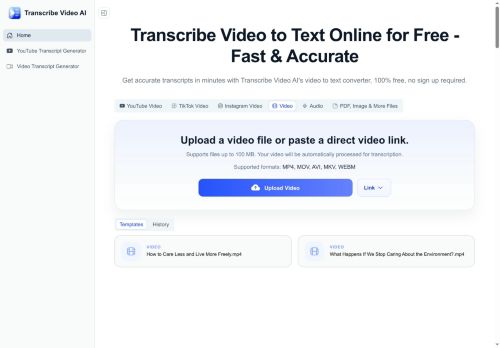
Outputs include timestamped transcripts and subtitles, multiple export formats, and automated summaries to streamline note-taking and editing.The service handles long files (up to 1 GB), processes recordings in minutes, and supports transcription and translation for 100+ languages with reported accuracy around 98.
6% depending on audio quality.Features include speaker identification, multilingual subtitle creation, and downloadable transcripts for research, lectures, meetings, and content production.Account registration is required to start transcriptions.
Key Features
- Automated video transcription
- Subtitle generation (including multilingual subtitles)
- Automated content summarization
- Accepts uploads and URLs (YouTube, TikTok, Instagram) and supports MP4, MOV, AVI
- Transcription and translation for 100+ languages
Use Cases
- Automatically transcribe and timestamp long videos or uploaded files (up to 1 GB) with Transcribe Video AI to create searchable, speaker-labeled transcripts, export SRT/VTT/CSV for publishing or archiving, and generate automated summaries for quick reference
- Generate multilingual subtitles and translated transcripts for YouTube, TikTok, and Instagram content using Transcribe Video AI to expand global reach in 100+ languages while preserving accurate timestamps and speaker attribution for SEO-friendly captions
- Streamline meetings, lectures, and webinar workflows by using Transcribe Video AI to transcribe recordings with speaker identification, produce downloadable exports and concise automated summaries for minutes and action items, and handle large files without manual intervention
Who is it for?
- Content creators
- Video editors
- Podcasters
- Marketing managers
- Students
Based on 7 verified user reviews — Average rating: 3.86/5

@christianhoward6804
TurkeyWhat surprised me about Transcribe Video AI is how little friction there is once you set preferences. I keep a short checklist: audience, tone, must-include points, and forbidden phrases. With that, outputs are consistently usable. Without it, results feel generic. I also like that I can iterate quickly instead of restarting from a blank page. Missing features for me: better version history and clearer export options. Even so, it has replaced a couple of scattered tools in my stack. Rating reflects practical value in my week, not hype from the landing page.

@eugenediaz269
TurkeyBeyin fırtınası ve ilk taslaklar için harika. Bu ay birkaç saatimi kurtardı.
More Transcriber AI Tools
Explore other transcriber tools with user ratings, pricing details, and in-depth descriptions. Updated regularly by our editorial team.