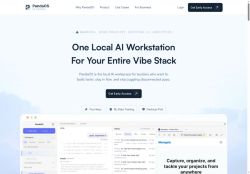

About PandaOS AI
Key Features
- Local desktop-first AI workstation consolidating code, tools, external apps, and AI agents into a single workspace
- Multi-project orchestration for managing repositories, scripts, and deployments with preserved terminal/browser/agent state across context switches
- Reusable agent workflows to automate recurring tasks and reduce manual setup
- Persistent project memory and a local knowledge graph capturing infrastructure and workflow context
- Integrated connectors for GitHub, Vercel, Supabase, Slack, and email enabling end-to-end workflows
Use Cases
- Orchestrate multiple development projects in a single local AI workstation with PandaOS, preserving project state and dependencies across sessions while using persistent memory and vector search to deliver context-aware coding, debugging, and one-click deployment workflows
- Automate recurring engineering tasks and CI/CD pipelines using PandaOS agents to run tests, suggest and apply context-aware fixes, and deploy validated builds automatically, while keeping an audit trail in persistent project memory
- Create a centralized, searchable code knowledge base across projects by leveraging PandaOS vector search and persistent memory to quickly retrieve code snippets, reuse patterns, and onboard new team members without leaving the desktop
Who is it for?
- Ai app builders
- Developers managing multiple repositories and workflows
- Founders coordinating build-test-deploy processes
- Devops engineers / sres
- Engineering managers
- Data scientists and analysts
- Qa engineers
- Product managers
Based on 12 verified user reviews — Average rating: 3.67/5

@douglasgutierrez4760
TurkeyDetailed take after daily use: PandaOS AI is strongest on speed and decent on quality when the brief is clear. I tested it against two alternatives on the same tasks (blog outline, meeting notes cleanup, and a short product FAQ). PandaOS AI was the fastest and produced the least awkward tone. Weak points are edge cases — niche jargon and multi-step instructions sometimes drift. I solved that with a saved prompt style guide. Pricing is okay if you actually use it several times a week; otherwise the free tier may be enough. Overall I would recommend it to freelancers and small teams who need reliable first drafts, not final publish-ready copy every time.

@lindamorgan906
TurkeyI have been using PandaOS AI for a few weeks on real client work, not just demos. The first week was mostly learning prompts and figuring out which templates stick. After that, drafting time dropped noticeably — especially for outlines, email replies, and first-pass summaries. It is not flawless: long documents sometimes lose structure, and I still fact-check anything important. Still, for a busy week it has become one of the tools I open without thinking. If you already have a clear workflow, PandaOS AI fits in cleanly. If you expect magic with zero editing, you will be disappointed. For me, the time saved on the boring middle steps is worth it.

@ralphfoster4259
TurkeyGood value so far. The free tier was enough to evaluate, and the paid features feel justified.


@joycealvarez7647
TurkeyTaslak üretimi için yeterince güvenilir. Çıktıyı düzenliyorum ama ilk geçiş güçlü.

@sarahjames5211
TurkeyAccurate enough for my use case. Support responses were also reasonably quick.
More AI Agents AI Tools
Explore other ai agents tools with user ratings, pricing details, and in-depth descriptions. Updated regularly by our editorial team.