
About grokimagine.io
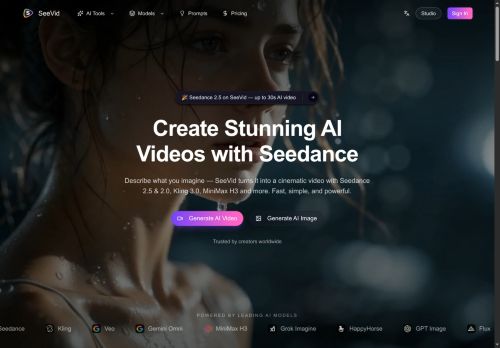
Exports default to 1080p with native audio and supports vertical, square, and wide aspect ratios for TikTok, Reels, YouTube Shorts, ads, and stories.Built-in features include talking avatars with lip sync, presets for cinematic, anime, photoreal, product, and illustration styles, and tools for rapid generate→compare→refine workflows.
Target use cases include UGC ads, product shots, food commercials, anime/action sequences, explainers, and campaign mood boards.Additional utilities include upscaling and background removal to prepare assets for publishing and client drafts.
Key Features
- Generates video from text, photos, and footage into social-ready motion clips
- Prompt-based controls for motion reference, camera moves, characters, scenes, and style direction
- Restyle mode that preserves source motion while changing visual appearance
- Exports 1080p video with native audio and supports vertical, square, and wide aspect ratios
- Built-in talking avatars with lip-sync
Use Cases
- Create scroll-stopping vertical UGC ad videos for Instagram Reels and TikTok from product photos and short captions using Grok Imagine’s prompt-driven motion, camera and style controls, background removal and presets to generate multiple aspect-ratio exports and upscaled clips without reshooting
- Create short social motion clips and talking-avatar narrations from blog posts, product descriptions or scripts with Grok Imagine’s text-to-video prompts, character and camera presets, auto-subtitles and restyle mode to quickly iterate different visual themes for A/B testing
- Create polished explainer and demo videos by repurposing existing footage and images with Grok Imagine’s motion-preserving restyle, background removal, upscaling and multilingual talking avatars, exporting optimized versions for stories, feeds and ad placements
Who is it for?
- Video editors
- Social media creators
- Performance marketers
- Creative agencies
- Small business owners
Based on 8 verified user reviews — Average rating: 3.88/5

@haroldrichardson1623
TurkeyWhat surprised me about grokimagine.io is how little friction there is once you set preferences. I keep a short checklist: audience, tone, must-include points, and forbidden phrases. With that, outputs are consistently usable. Without it, results feel generic. I also like that I can iterate quickly instead of restarting from a blank page. Missing features for me: better version history and clearer export options. Even so, it has replaced a couple of scattered tools in my stack. Rating reflects practical value in my week, not hype from the landing page.

@laurapatel8678
TurkeyWhat surprised me about grokimagine.io is how little friction there is once you set preferences. I keep a short checklist: audience, tone, must-include points, and forbidden phrases. With that, outputs are consistently usable. Without it, results feel generic. I also like that I can iterate quickly instead of restarting from a blank page. Missing features for me: better version history and clearer export options. Even so, it has replaced a couple of scattered tools in my stack. Rating reflects practical value in my week, not hype from the landing page.

@juanhill1690
TurkeyReally useful for my workflow. Setup was quick and the results were better than I expected.


@judithevans5697
Turkeygrokimagine.io araçını birkaç haftadır gerçek işlerde deniyorum; sadece demo değil. İlk hafta prompt alışkanlığı kazanmakla geçti. Sonrasında özellikle taslak, e-posta yanıtı ve özet işlerinde süre belirgin düştü. Kusursuz değil: uzun metinlerde yapı bozulabiliyor ve kritik noktaları mutlaka kontrol ediyorum. Yine de yoğun bir haftada düşünmeden açtığım araçlardan biri oldu. Net bir iş akışınız varsa grokimagine.io kolay oturuyor. Sıfır düzenlemeyle sihir bekliyorsanız hayal kırıklığı olur. Benim için sıkıcı ara adımları kısaltması yeterli sebep.

@amygray1031
TurkeyThe output quality improved after I wrote better prompts. Highly usable.
More Text-to-video AI Tools
Explore other text-to-video tools with user ratings, pricing details, and in-depth descriptions. Updated regularly by our editorial team.