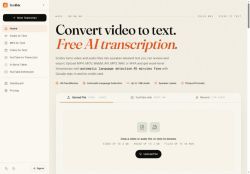

About Scribix
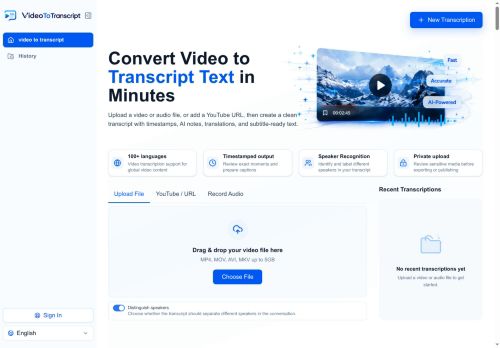
Produces word-level timestamps and speaker labels for precise navigation, clip extraction, and time-coded captions.Exports in TXT, DOCX, SRT, VTT, and CSV for document workflows, subtitle creation, and spreadsheet analysis.
Inline editor lets users play from any word, correct text, rename speakers, and download final transcripts.Useful for creators repurposing long-form footage into captions and clips, podcasters and journalists generating show notes and quote-ready text, and researchers or students producing searchable transcripts for analysis.
Source files are deleted after 14 days and transcripts can be retained or removed by the user; transcription accuracy depends on audio quality, background noise, accents, and overlapping speech.
Key Features
- Transcribes video and audio into editable text with automatic language detection and speaker diarization
- Supports common media formats (mp4, mov, webm, avi, mkv, mp3, wav, m4a) and accepts uploads, YouTube links, and live recordings
- Generates word-level timestamps and speaker labels for navigation, clip extraction, and time-coded captions
- Exports transcripts in TXT, DOCX, SRT, VTT, and CSV formats
- Inline editor with word-level playback, text editing, speaker renaming, and transcript download
Use Cases
- Transcribe podcast episodes end-to-end with speaker-labeled transcripts, automatic language detection and word-level timestamps, clean up audio in the inline editor, extract clips and export TXT/DOCX/SRT for publication and show notes
- Create SEO-friendly captions and subtitles for videos by transcribing YouTube links, fine-tuning timing in the inline editor and exporting timecoded SRT/VTT or DOCX for web playback and accessibility
- Convert recorded interviews and focus groups into research-ready transcripts using speaker diarization and word-level timestamps, export CSV for analysis, extract highlight clips and generate polished transcripts for reports or citations
Who is it for?
- Video editors
- Podcasters
- Journalists
- Content creators
- Social media managers
Based on 7 verified user reviews — Average rating: 3.86/5

@noahmitchell2050
Turkeyİlk izlenimim karışıktı, sonra oturdu. Artık haftalık araç setimin parçası.

@marthaadams361
TurkeyI like Scribix more than expected. Clean UX and dependable outputs.

@jacquelinemorgan365
TurkeyWhat surprised me about Scribix is how little friction there is once you set preferences. I keep a short checklist: audience, tone, must-include points, and forbidden phrases. With that, outputs are consistently usable. Without it, results feel generic. I also like that I can iterate quickly instead of restarting from a blank page. Missing features for me: better version history and clearer export options. Even so, it has replaced a couple of scattered tools in my stack. Rating reflects practical value in my week, not hype from the landing page.


@masonross5126
TurkeyWhat surprised me about Scribix is how little friction there is once you set preferences. I keep a short checklist: audience, tone, must-include points, and forbidden phrases. With that, outputs are consistently usable. Without it, results feel generic. I also like that I can iterate quickly instead of restarting from a blank page. Missing features for me: better version history and clearer export options. Even so, it has replaced a couple of scattered tools in my stack. Rating reflects practical value in my week, not hype from the landing page.

@christopherstewart77
TurkeyUseful features without overwhelming menus. A practical AI addition to my toolkit.
More Transcriber AI Tools
Explore other transcriber tools with user ratings, pricing details, and in-depth descriptions. Updated regularly by our editorial team.