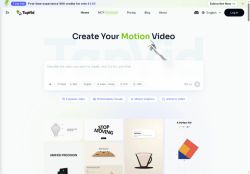

About TapVid AI
The platform’s natural-language editing and intelligent edit tools let users create, refine, and remix videos by issuing plain-language instructions.Core features include template-based motion graphics, visual style presets (including vertical formats), clip trimming, and batch/versioning for rapid content repurposing.
TapVid suits marketers, course creators, educators, and agencies that need to scale video production and turn written content or slides into short-form and longer explainer content.Export and rendering controls support HD outputs and integration into existing publishing workflows.
Key Features
- Converts prompts, PDFs, links, and uploaded assets into motion-graphics and photorealistic explainer videos
- Automated generation of scripts, storyboards, voiceovers, and timelines via a text-to-video workflow
- Natural-language editing and intelligent edit tools for creating, refining, and remixing videos with plain-language instructions
- Template-based motion graphics, visual style presets (including vertical formats), and clip trimming
- Batch/versioning and export/rendering controls supporting HD outputs and integration with publishing workflows
Use Cases
- Turn product manuals, PDFs, or spec sheets into polished photorealistic explainer videos using TapVid’s automated script, storyboard, voiceover and timeline generation, allowing marketing and sales teams to quickly produce product demos and landing-page videos without hiring a video editor
- Repurpose long-form content like webinars, blog posts, and recorded demos into batches of short motion-graphics social clips using TapVid’s template library, natural-language editing and batch/versioning, exporting HD-optimized versions for LinkedIn, Instagram and YouTube
- Create scalable onboarding and training programs by converting links, uploaded docs, or prompts into step-by-step explainer videos with storyboards, multilingual voiceovers and timeline control via TapVid’s text-to-video editor, streamlining employee and customer education across global teams
Who is it for?
- Video content creators
- Marketing managers
- Course creators
- Educators
- Agency teams
Based on 8 verified user reviews — Average rating: 4.63/5

@seancruz9506
TurkeyBeyin fırtınası ve ilk taslaklar için harika. Bu ay birkaç saatimi kurtardı.

@virginialewis8848
TurkeyArayüz sezgisel. Denediğim benzer araçlara göre öğrenmesi daha kolay.

@laurahughes124
TurkeyWhat surprised me about TapVid AI is how little friction there is once you set preferences. I keep a short checklist: audience, tone, must-include points, and forbidden phrases. With that, outputs are consistently usable. Without it, results feel generic. I also like that I can iterate quickly instead of restarting from a blank page. Missing features for me: better version history and clearer export options. Even so, it has replaced a couple of scattered tools in my stack. Rating reflects practical value in my week, not hype from the landing page.


@bettydavis4618
TurkeyWhat surprised me about TapVid AI is how little friction there is once you set preferences. I keep a short checklist: audience, tone, must-include points, and forbidden phrases. With that, outputs are consistently usable. Without it, results feel generic. I also like that I can iterate quickly instead of restarting from a blank page. Missing features for me: better version history and clearer export options. Even so, it has replaced a couple of scattered tools in my stack. Rating reflects practical value in my week, not hype from the landing page.

@jessicarichardson621
TurkeyTapVid AI umut verici. Birkaç özellik eksik olsa da çekirdek deneyim güçlü.
More Text-to-video AI Tools
Explore other text-to-video tools with user ratings, pricing details, and in-depth descriptions. Updated regularly by our editorial team.