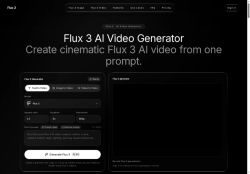

About Flux-3.im
Output options include selectable durations, aspect ratios (2.3, 3.2, 1.1, 16.9, 9.16) and resolutions (480p, 720p), with preview generation, downloadable results, and generation history.The model produces native audio—ambience, impacts, footsteps, and synchronized sounds—and handles multilingual dialogue, facial expressions, and natural motion.
Common use cases include short-form social video, product and e-commerce motion, ads, storyboards, and concept trailers for marketing and creative teams.Workflow centers on writing a scene-specific prompt, adding reference assets, generating a preview, refining the result, and exporting final clips.
Key Features
- Multimodal video generation from text, image, and video inputs using a multimodal model
- Prompt-based text-to-video and reference-guided generation with controls for subject, action, camera movement, lighting, mood, and timing
- Reference asset guidance to steer motion, framing, and visual style using added images or clips
- Configurable output options including selectable durations, aspect ratios (2:3, 3:2, 1:1, 16:9, 9:16), resolutions (480p, 720p), preview generation, downloads, and generation history
- Native audio generation with ambience, impacts, footsteps, synchronized sounds, multilingual dialogue, facial expressions, and natural motion
Use Cases
- Create engaging short-form social videos for TikTok, Reels, and Shorts using Flux 3 from text, images, or clips without additional tools, leveraging prompt-driven scene generation, selectable durations/aspect ratios and native synchronized audio to quickly iterate viral-ready content
- Produce high-converting ecommerce product videos using Flux 3 by feeding product photos or clips and text prompts to generate polished product showcases with natural motion, expressions, selectable resolutions for platform-optimized outputs and synchronized audio for voiceovers and music
- Draft production-ready storyboards and product demo videos with Flux 3 by combining reference-guided generation and text prompts to visualize scenes, timing and camera framing, exporting short-form or high-res sequences to share with stakeholders and accelerate pre-production
Who is it for?
- Social media creators and influencers
- Marketing teams and content marketers
- Creative teams and agencies
- Advertising agencies and advertisers
- E-commerce and product marketing teams
- Video producers, editors, and motion designers
- Storyboard artists, directors, and concept artists
- Small business owners and startups creating ads
- Product managers and product marketers
- Creative directors and brand teams
Based on 9 verified user reviews — Average rating: 3.89/5

@anncollins1055
TurkeyThe output quality improved after I wrote better prompts. Highly usable.

@vincentwood7700
TurkeyDetailed take after daily use: Flux-3.im is strongest on speed and decent on quality when the brief is clear. I tested it against two alternatives on the same tasks (blog outline, meeting notes cleanup, and a short product FAQ). Flux-3.im was the fastest and produced the least awkward tone. Weak points are edge cases — niche jargon and multi-step instructions sometimes drift. I solved that with a saved prompt style guide. Pricing is okay if you actually use it several times a week; otherwise the free tier may be enough. Overall I would recommend it to freelancers and small teams who need reliable first drafts, not final publish-ready copy every time.
@lockedinai
TurkeyMixed first impression, then it clicked. Now it is part of my weekly stack.


@rogeryoung4235
TurkeySimple, focused, and not bloated. That alone makes it stand out among AI tools.

@elizabethross2768
TurkeyGreat for brainstorming and first drafts. Saved me at least a couple of hours this month.
More Text-to-video AI Tools
Explore other text-to-video tools with user ratings, pricing details, and in-depth descriptions. Updated regularly by our editorial team.