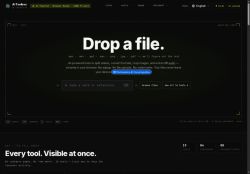

About AI Toolbox
Video tools include frame-accurate splitting, trimming, merging, rotation, flipping, compression, and format conversion (MP4, MOV, WEBM, MKV, AVI) with support for codecs such as H.264, H.265, AV1, and VP9.
Audio features extract and split tracks, convert between MP3, WAV, FLAC, AAC, OGG, and offer browser-based transcription.Image utilities crop, resize, and convert between PNG, JPG, WebP, and AVIF and include OCR to extract text from images.
Document functions merge PDFs, convert and extract archives (RAR, ZIP), and perform file-type detection via magic bytes.The tool targets content creators, editors, marketers, educators, and developers who need browser-based conversion, editing, and extraction with local-only processing and no account requirement.
Key Features
- Browser-based local multimedia processing via WebAssembly (files handled in-browser, not uploaded)
- Video editing and conversion with frame-accurate splitting, trimming, merging, rotation, flipping, compression and support for MP4/MOV/WEBM/MKV/AVI and codecs H.264, H.265, AV1, VP9
- Audio processing: track extraction and splitting, format conversion between MP3/WAV/FLAC/AAC/OGG, and browser-based transcription
- Image utilities: crop, resize, convert between PNG/JPG/WebP/AVIF, and OCR text extraction from images
- Document functions: merge PDFs, convert and extract archives (RAR, ZIP), and file-type detection via magic bytes
Use Cases
- Trim frame-accurate interview footage and merge clips in-browser, extract and transcribe audio locally for searchable quotes and show notes, all without uploads or accounts—perfect for journalists and podcasters prioritizing privacy and speed
- Convert and compress large camera or drone video files to web-friendly formats, batch-change image formats and run local OCR on receipts and labels to extract text for expense reports, keeping sensitive data on-device
- Merge and convert PDFs or archives for client deliverables, extract images and run OCR to produce editable documents, and perform quick in-browser audio/video edits for presentations using the WebAssembly toolkit with no uploads or account
Who is it for?
- Content creators
- Editors
- Marketers
- Educators
- Developers
Based on 5 verified user reviews — Average rating: 4.20/5

@henryturner4064
TurkeyBelow expectations. Occasional useful bits, but too many errors to trust for real work.

@pamelareyes6015
TurkeyGreat for brainstorming and first drafts. Saved me at least a couple of hours this month.

@walterwright8912
TurkeyI have been using AI Toolbox for a few weeks on real client work, not just demos. The first week was mostly learning prompts and figuring out which templates stick. After that, drafting time dropped noticeably — especially for outlines, email replies, and first-pass summaries. It is not flawless: long documents sometimes lose structure, and I still fact-check anything important. Still, for a busy week it has become one of the tools I open without thinking. If you already have a clear workflow, AI Toolbox fits in cleanly. If you expect magic with zero editing, you will be disappointed. For me, the time saved on the boring middle steps is worth it.


@garynelson3134
TurkeyMasaüstünde sorunsuz çalışıyor. Daha fazla dışa aktarma seçeneği olsa iyi olur.

@daniellejimenez7912
TurkeyHelpful assistant for repetitive work. Still needs human review on important outputs.
More Video Editing AI Tools
Explore other video editing tools with user ratings, pricing details, and in-depth descriptions. Updated regularly by our editorial team.