
About Google Vids
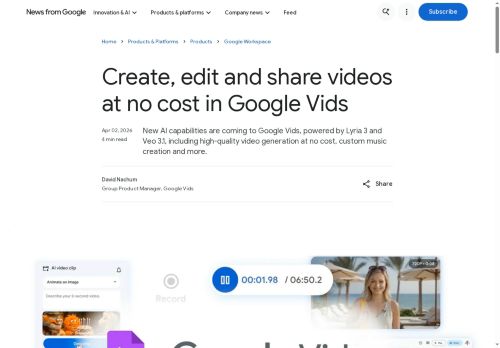
Google Vids enables Google account holders to generate and edit videos using the Veo 3.1 video generation model.It provides custom music composition with Lyria 3 and supports AI avatars that maintain consistent faces and voices across frames.
A Chrome extension captures screen recordings and lets users publish directly to YouTube or share links to social platforms and email.Built-in editing tools and Google AI-generated summaries accelerate content production for creators, educators, marketers, and internal teams.
Integrations with Google Workspace and account controls support collaborative workflows and volume generation for workspace users.Output styles and templates convert prompts and photos into short clips, tutorials, montages, and promotional reels.
Key Features
Use Cases
Who is it for?
A Chrome extension captures screen recordings and lets users publish directly to YouTube or share links to social platforms and email.Built-in editing tools and Google AI-generated summaries accelerate content production for creators, educators, marketers, and internal teams.
Integrations with Google Workspace and account controls support collaborative workflows and volume generation for workspace users.Output styles and templates convert prompts and photos into short clips, tutorials, montages, and promotional reels.
Key Features
- Video generation and editing using the Veo 3.1 model
- Custom music composition via Lyria 3
- AI avatars that maintain consistent faces and voices across frames
- Chrome extension for screen recording with direct publishing to YouTube and shareable links
- Built-in editing tools, Google AI-generated summaries, and output styles/templates converting prompts and photos into short clips, tutorials, montages, and promotional reels
Use Cases
- Produce step-by-step software tutorials by capturing screens with the Chrome extension and AI screen recording, automatically generate concise video summaries and transcripts for documentation, add consistent AI avatar narration and Lyria 3-composed background music, then export templated clip sets for LMS and social publishing
- Create polished marketing and social videos from prompt-to-video templates in Veo 3.1, apply consistent branded AI avatars across multiple clips, compose custom theme music with Lyria 3, and publish social-ready montages and short promos while collaborating in real time with teammates
- Streamline meeting recaps and training content by recording presentations, using automated video summarization to produce highlight reels and searchable clips, convert key moments into reusable tutorial templates, and collaboratively edit and export finalized assets for company knowledge bases
Who is it for?
- Content creators
- Social media influencers
- Creative agencies
- Marketing teams
- Startup entrepreneurs
No review yet!
More Video AI Tools
Explore other video tools with user ratings, pricing details, and in-depth descriptions. Updated regularly by our editorial team.