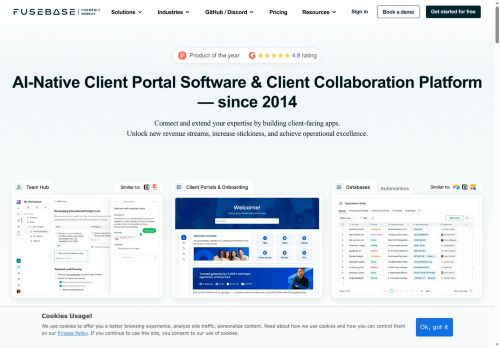

About FuseBase
Built-in AI agents automate workflows, surface answers from knowledge bases, generate process documentation, and handle routine client tasks.Core features include secure file storage, real-time collaboration, versioned knowledge bases, meeting recording and transcription, contextual notes, e-signatures, forms, and mutual action plans.
Enterprise-grade security and compliance controls include SSO, 2FA, encryption in transit and at rest, audit logs, and HIPAA and SOC 2 readiness.Integrations with CRM, Slack, Teams, email, and other tools enable synchronized internal and external workspaces and external agent access.
Key Features
- User-friendly AI Agents (custom or prebuilt, screen-aware, prompt-driven, external access)
- Secure AI Portals and Deal Rooms (branded client/partner portals with secure file sharing and built-in CRM/e-signatures)
- Integrations and Stack Sync (connects to CRM, Slack, Teams, email and syncs agents with your tech stack)
- Enterprise-grade Security and Compliance Controls (SSO, 2FA, encryption, access tracking, audit-ready, HIPAA & SOC 2)
- App Builder and Automation Workflows (drag-and-drop page builder, AI workflows, automations, permissions and user management)
Use Cases
- Create a secure branded client portal to centralize document sharing, task tracking and onboarding—use built-in AI agents to automate routine client requests, auto-generate engagement documents and enforce enterprise-grade access controls and audit logs for compliance
- Streamline deal-room collaboration for M&A, sales or procurement by providing versioned secure document exchange, collaborative task management and AI-powered due-diligence assistants that surface key clauses, summarize documents and generate action items to accelerate negotiations
- Build a compliant onboarding hub and knowledge base for teams, partners and vendors that leverages AI to index and surface answers, auto-create SOPs and onboarding checklists, translate content for global users and maintain audit trails for regulatory requirements
Who is it for?
- Client executives
- Partner executives
- Team collaborators
- Vendor suppliers
- Project managers
Based on 10 verified user reviews — Average rating: 3.80/5

@debracarter816
TurkeyI have been using FuseBase for a few weeks on real client work, not just demos. The first week was mostly learning prompts and figuring out which templates stick. After that, drafting time dropped noticeably — especially for outlines, email replies, and first-pass summaries. It is not flawless: long documents sometimes lose structure, and I still fact-check anything important. Still, for a busy week it has become one of the tools I open without thinking. If you already have a clear workflow, FuseBase fits in cleanly. If you expect magic with zero editing, you will be disappointed. For me, the time saved on the boring middle steps is worth it.

@marilynreyes6120
TurkeyOne star. Constant errors, slow generation, and features advertised are locked or broken.
@tom42747
TurkeyFuseBase araçını birkaç haftadır gerçek işlerde deniyorum; sadece demo değil. İlk hafta prompt alışkanlığı kazanmakla geçti. Sonrasında özellikle taslak, e-posta yanıtı ve özet işlerinde süre belirgin düştü. Kusursuz değil: uzun metinlerde yapı bozulabiliyor ve kritik noktaları mutlaka kontrol ediyorum. Yine de yoğun bir haftada düşünmeden açtığım araçlardan biri oldu. Net bir iş akışınız varsa FuseBase kolay oturuyor. Sıfır düzenlemeyle sihir bekliyorsanız hayal kırıklığı olur. Benim için sıkıcı ara adımları kısaltması yeterli sebep.


@madisonbailey8689
TurkeyDetailed take after daily use: FuseBase is strongest on speed and decent on quality when the brief is clear. I tested it against two alternatives on the same tasks (blog outline, meeting notes cleanup, and a short product FAQ). FuseBase was the fastest and produced the least awkward tone. Weak points are edge cases — niche jargon and multi-step instructions sometimes drift. I solved that with a saved prompt style guide. Pricing is okay if you actually use it several times a week; otherwise the free tier may be enough. Overall I would recommend it to freelancers and small teams who need reliable first drafts, not final publish-ready copy every time.

@joemoore4615
TurkeyFuseBase rutin işlerde hızımı artırdı. Şimdilik sonuçlardan memnunum.
More Team Collaboration AI Tools
Explore other team collaboration tools with user ratings, pricing details, and in-depth descriptions. Updated regularly by our editorial team.