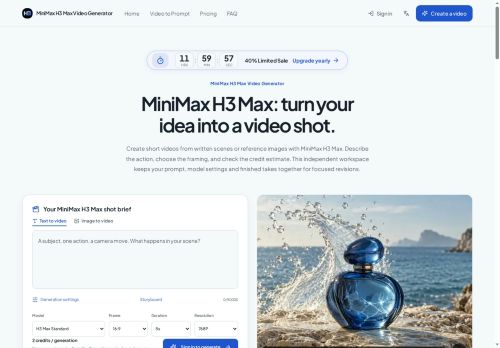

About Minimaxh3.ai
Features include instruction-based editing to swap characters, replace backgrounds, relight scenes, rewrite dialogue, and preserve unedited frames for iterative edits.Voice cloning and native audio generation let teams provide a sample voice and generate synced dialogue with ambient sound and effects.
Preserves on-screen text, product labels, UI elements, and brand marks for e-commerce, ads, and product demos.Supports multiple aspect ratios and camera-language controls like rack focus, match cuts, and handheld motion for director-style framing.
Use cases include social content, trailers, game CG and UI demos, product showcase videos, and animated character scenes requiring consistent character continuity and style reference.
Key Features
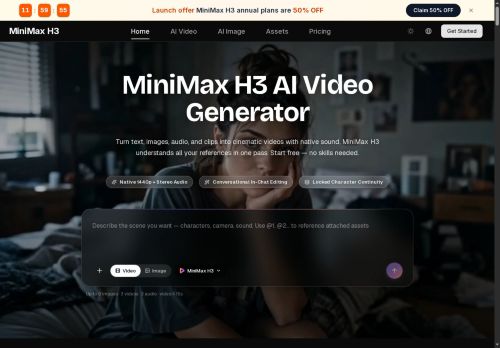
- Generates native 1440p video with stereo audio
- Accepts text, images, audio, and clips (up to 9 images, 3 video clips, 3 audio tracks) in a single request to produce one-pass coherent cinematic shots
- Instruction-based editing to swap characters, replace backgrounds, relight scenes, rewrite dialogue, and preserve unedited frames for iterative edits
- Voice cloning and native audio generation with synced dialogue plus ambient sound and effects
- Supports multiple aspect ratios (21:9, 16:9, 4:3, 1:1, 3:4, 9:16) and camera-language controls (rack focus, match cuts, handheld motion) for director-style framing
Use Cases
- Create cinematic 1440p product demos or marketing videos directly from text, images and clips — swap characters, replace or relight backgrounds, clone voices for localized narration, preserve logos and on-screen text, and export optimized multi-aspect assets for web, mobile and social
- Produce polished instructional or training videos by editing existing footage with instruction-based dialogue rewrites and character continuity fixes, apply relighting and director-style camera moves, sync voice-cloned narration, and export lesson-ready versions in multiple aspect ratios
- Create high-quality short films or episodic content without reshoots by performing character swaps and continuity edits, background replacement and relighting, voice cloning for ADR, maintain on-screen assets and titles, and export finished 1440p masters for distribution
Who is it for?
- Social media creators
- Marketing and advertising teams
- E-commerce product teams
- Game developers and cinematic designers
- Indie filmmakers and directors
- Animation and character studios
- Vfx artists and video editors
- Ui/ux designers creating product demos
- Creative agencies and brand teams
- Voiceover producers and sound designers
- Small production teams and startups
Based on 6 verified user reviews — Average rating: 4.00/5

@kathleenjones4724
TurkeyGünlük kullanım sonrası detaylı yorum: Minimaxh3.ai hız konusunda güçlü, brief netse kalite de iyi. Aynı görevlerde iki alternatifle kıyasladım (blog outline, toplantı notu sadeleştirme, kısa SSS). Minimaxh3.ai en hızlısıydı ve tonu en az garip olandı. Zayıf yanı uç vakalar — niş jargon ve çok adımlı isteklerde sapabiliyor. Bunu kayıtlı bir stil/prompt rehberiyle çözdüm. Haftada birkaç kez kullanıyorsanız fiyatı makul; değilse ücretsiz katman yetebilir. Freelancer ve küçük ekiplere, güvenilir ilk taslak için öneririm.

@elixeller4524
TurkeyBaşlangıç için olur. Çok düzenliyorum ama boş sayfadan iyidir.
@bruceturner9707
TurkeyAccurate enough for my use case. Support responses were also reasonably quick.


@ugonderwood9970
TurkeyÜç yıldız. Çalışıyor, alternatiflere göre özel bir yanı yok.
@tlasecker58
TurkeyMinimaxh3.ai ilk geçişler için işime yarıyor. Mükemmel değil ama faydalı.
More Text-to-video AI Tools
Explore other text-to-video tools with user ratings, pricing details, and in-depth descriptions. Updated regularly by our editorial team.