
About EZTrimmer
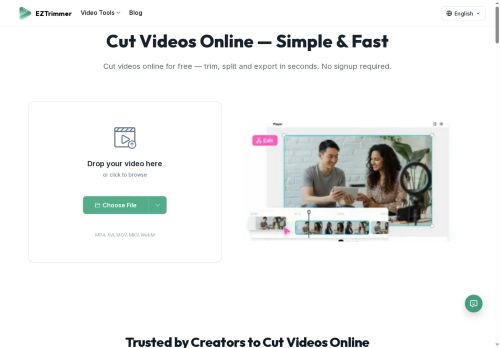
ezTrimmer is a browser-based online video cutter and trimmer for creators, social media managers, and professionals.It supports MP4, AVI, MOV, MKV and WEBM and lets users trim, split, and merge clips with a timeline interface and drag-and-drop upload.
Frame-accurate trimming with draggable handles enables precise range selection for cutting MKV and other formats.Processed clips can be downloaded or shared and exported in common formats suitable for TikTok, YouTube Shorts, and Instagram Reels while preserving original resolution when possible.
Workflow features include account-based access, uploads up to 500 MB or 30 minutes, and a simple upload–trim–download process.ezTrimmer is intended for quick clip preparation and short-form content assembly without desktop software.
Key Features
Use Cases
Who is it for?
Frame-accurate trimming with draggable handles enables precise range selection for cutting MKV and other formats.Processed clips can be downloaded or shared and exported in common formats suitable for TikTok, YouTube Shorts, and Instagram Reels while preserving original resolution when possible.
Workflow features include account-based access, uploads up to 500 MB or 30 minutes, and a simple upload–trim–download process.ezTrimmer is intended for quick clip preparation and short-form content assembly without desktop software.
Key Features
- Browser-based online video cutter and trimmer
- Supports MP4, AVI, MOV, MKV, and WEBM
- Trim, split, and merge clips via timeline interface with drag-and-drop upload
- Frame-accurate trimming with draggable handles for precise range selection
- Download/share/export processed clips in common social-video formats while preserving original resolution when possible
Use Cases
- Create short, platform-ready clips for TikTok, YouTube Shorts and Instagram Reels using ezTrimmer's browser-based, frame-accurate cutter—trim and export preserving resolution and correct aspect ratios without installing software or additional tools
- Quickly assemble highlight reels or episode recaps by dragging, splitting and merging MP4/AVI/MOV/MKV/WEBM clips in ezTrimmer's timeline, using frame-accurate handles to nail precise cuts and produce high-resolution downloads ready for publishing
- Prepare promotional snippets and social media teasers by trimming out unwanted segments, merging shots, and exporting platform-optimized formats with ezTrimmer's drag-and-drop interface, ensuring consistent quality across devices while working entirely online
Who is it for?
- Content creators
- Video editors
- Marketing strategists
- Social media managers
- Teaching educators
Based on 3 verified user reviews — Average rating: 3.67/5

@sarawalker690
TurkeyHelpful assistant for repetitive work. Still needs human review on important outputs.

@margaretruiz4071
TurkeyGüzel bir keşif. Dokümantasyon biraz daha net olabilirdi ama öğrenince verimli.

@kellykelly9473
TurkeyCiddi iyileştirme lazım. Yavaş, tutarsız ve destek yardımcı olmadı.

More Video Editing AI Tools
Explore other video editing tools with user ratings, pricing details, and in-depth descriptions. Updated regularly by our editorial team.