
About SpeakType
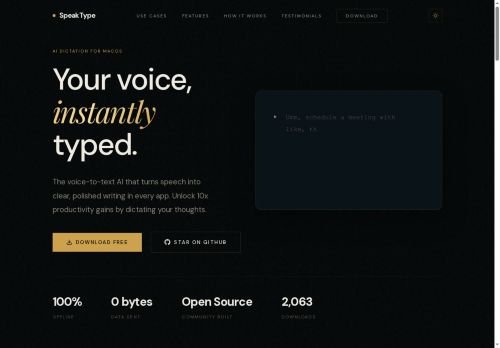
Integrates across apps and text fields via a single keyboard shortcut for emails, documents, code editors, Slack, and web forms.Open-source codebase enables inspection and community contributions.Designed for writers, students, developers, founders, and LLM users to dictate drafts, prompts, notes, and responses to speed composition and capture ideas.
Supports natural speech, long-form dictation, and contextual prompts to produce editable text in any application.
Key Features
- On-device real-time speech-to-text transcription optimized for Apple Silicon
- Privacy-first architecture: audio and transcripts remain on the Mac with no cloud upload or external accounts
- System-wide integration across apps and text fields via a single keyboard shortcut
- Open-source codebase for inspection and community contributions
- Support for natural speech, long-form dictation, and contextual prompts to produce editable text in any application
Use Cases
- Draft emails, reports, and creative documents hands-free using speaktype's system-wide dictation shortcut and Apple Silicon–optimized on-device transcription, keeping audio and transcripts local for maximum privacy while supporting long-form dictation and contextual prompts
- Transcribe meetings, interviews, and lectures in real time with speaktype's local speech-to-text—searchable, time-aligned transcripts stored on your Mac—then quickly review, highlight, or export excerpts without sending data to the cloud
- Code and edit with your voice using speaktype's voice-dictation for coding and contextual prompts to insert snippets, navigate files, refactor lines, and add comments, all integrated across apps and running privately on-device as an open-source Apple Silicon–optimized tool
Who is it for?
- Creative writers
- Academic students
- Software developers
- Startup founders
- Language model enthusiasts
Based on 7 verified user reviews — Average rating: 4.00/5

@aaronward495
TurkeyReliable enough for production drafts. I edit the output, but the first pass is strong.

@alexiscruz1847
TurkeySimple, focused, and not bloated. That alone makes it stand out among AI tools.

@richardparker7123
TurkeyI have been using SpeakType for a few weeks on real client work, not just demos. The first week was mostly learning prompts and figuring out which templates stick. After that, drafting time dropped noticeably — especially for outlines, email replies, and first-pass summaries. It is not flawless: long documents sometimes lose structure, and I still fact-check anything important. Still, for a busy week it has become one of the tools I open without thinking. If you already have a clear workflow, SpeakType fits in cleanly. If you expect magic with zero editing, you will be disappointed. For me, the time saved on the boring middle steps is worth it.


@seancruz9506
TurkeyI have been using SpeakType for a few weeks on real client work, not just demos. The first week was mostly learning prompts and figuring out which templates stick. After that, drafting time dropped noticeably — especially for outlines, email replies, and first-pass summaries. It is not flawless: long documents sometimes lose structure, and I still fact-check anything important. Still, for a busy week it has become one of the tools I open without thinking. If you already have a clear workflow, SpeakType fits in cleanly. If you expect magic with zero editing, you will be disappointed. For me, the time saved on the boring middle steps is worth it.

@jordangreen6496
TurkeySpeakType ile ilgili sürpriz, tercihleri ayarladıktan sonra sürtünmenin azalması oldu. Kısa bir kontrol listem var: hedef kitle, ton, zorunlu maddeler, istenmeyen ifadeler. Bunlarla çıktılar düzenli şekilde kullanılabilir oluyor. Olmadan sonuçlar genel kalıyor. Boş sayfadan başlamak yerine hızlıca iterasyon yapabilmek de büyük artı. Eksik gördüğüm yerler: daha iyi sürüm geçmişi ve net export seçenekleri. Yine de dağınık birkaç aracı elimden aldı. Puanım reklam değil, haftalık pratik faydaya göre.
More Speech-to-text AI Tools
Explore other speech-to-text tools with user ratings, pricing details, and in-depth descriptions. Updated regularly by our editorial team.