
About Motionik
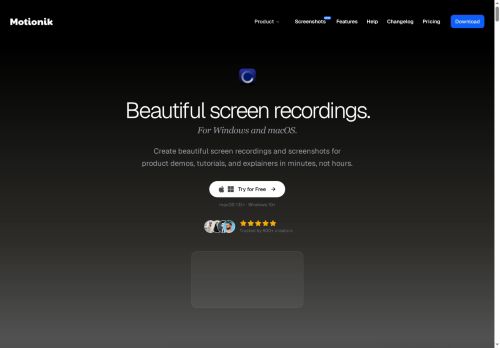
Motionik is a screen recording and editing app for Windows and macOS that integrates recording, cursor-tracking auto-zoom, and timeline editing.
Features include automatic and manual zoom, cursor customization, click effects, motion blur, and pan control for focused product demos and tutorials.
Overlays support titles, captions, images, audio tracks, webcam input, and mobile device capture (iPhone/iPad via USB) for app demos and explainers.
Editing tools include trimming, content masks to hide sensitive information, background replacement, inset/shadow styling, rounded corners, and export in multiple formats and aspect ratios.
AI-driven features provide automatic transcripts and background noise reduction to accelerate post-production and improve accessibility.
Recording modes cover full-screen, window, or area capture with separate webcam and microphone inputs plus camera placement and timeline control.
Key Features
Use Cases
Who is it for?
Features include automatic and manual zoom, cursor customization, click effects, motion blur, and pan control for focused product demos and tutorials.
Overlays support titles, captions, images, audio tracks, webcam input, and mobile device capture (iPhone/iPad via USB) for app demos and explainers.
Editing tools include trimming, content masks to hide sensitive information, background replacement, inset/shadow styling, rounded corners, and export in multiple formats and aspect ratios.
AI-driven features provide automatic transcripts and background noise reduction to accelerate post-production and improve accessibility.
Recording modes cover full-screen, window, or area capture with separate webcam and microphone inputs plus camera placement and timeline control.
Key Features
- Auto Zoom with cursor tracking (automatic/manual zoom), zoom animation control and pan control
- Customizable cursor and click effects (cursor styles, click animations, motion blur, click sounds, click speed/ease)
- Multi‑source recording: full screen, window, area, webcam, microphone, system audio and mobile (iPhone/iPad via USB)
- Built‑in editor and overlays: trim, add text/images/audio tracks, dynamic text, content masks, highlights, appearance controls (inset/shadow, rounded corners)
- Export and AI features: multiple export formats and aspect ratios, automatic transcripts and background noise reduction
Use Cases
- Record step-by-step product demos and tutorials with Motionik’s cursor-tracking auto-zoom, mobile device capture and timeline editing, then add titles, captions, webcam overlay and AI transcripts to produce searchable, production-ready videos without complex editing tools
- Create polished internal training and onboarding videos using Motionik’s background noise reduction, automatic transcripts, sensitive-info masking and trimming, combining overlays and timeline edits to build role-specific modules that are easy to update and share across teams
- Produce bug-reproduction recordings and client walkthroughs with Motionik’s mobile capture, precise masking and timeline editing, export noise-reduced clips with clear captions and AI transcripts to accelerate debugging, reviews and stakeholder communication
Who is it for?
- Screen recorders
- Video editors
- Demo creators
- Tutorial designers
- Digital marketers
Based on 4 verified user reviews — Average rating: 3.75/5

@sophiagonzalez6564
TurkeyGreat for brainstorming and first drafts. Saved me at least a couple of hours this month.

@frankwhite1309
TurkeyArayüz sezgisel. Denediğim benzer araçlara göre öğrenmesi daha kolay.

@beverlywatson5173
TurkeyUsing Motionik for drafts and summaries. Cuts friction without feeling complicated.


@keithramos3466
TurkeyClean interface and good output quality. I keep coming back to it for daily tasks.
More Video Editing AI Tools
Explore other video editing tools with user ratings, pricing details, and in-depth descriptions. Updated regularly by our editorial team.