
About Wisecut AI
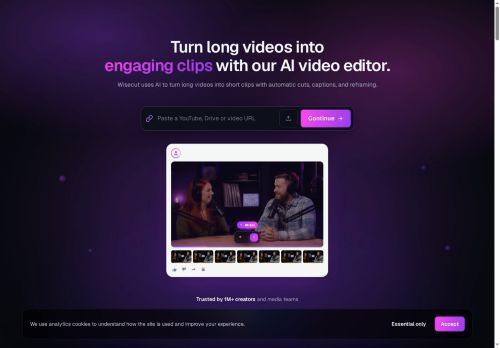
Wisecut is an AI video editor that converts long recordings into short social-media clips and shorts for creators, YouTubers, streamers, and social media managers.It uses AI highlight detection and auto-cut to identify key moments, automatically remove silences, and apply auto zoom and punch-in/out transitions to maintain pacing.
Automatic captions, subtitle translation, and storyboard-based editing let creators edit via transcribed text and produce accessible, multilingual videos.Auto reframe adjusts aspect ratios for vertical, square, or horizontal platforms while smart background music with audio ducking and background noise cancellation manages audio levels.
Features include auto captions, silence removal, auto punch-in/out, studio voice processing, and smart background music for faster content production.Designed for content creators, media teams, and marketers, Wisecut streamlines editing workflows, reduces turnaround time, and supports higher engagement on social platforms.
Key Features
Use Cases
Who is it for?
Automatic captions, subtitle translation, and storyboard-based editing let creators edit via transcribed text and produce accessible, multilingual videos.Auto reframe adjusts aspect ratios for vertical, square, or horizontal platforms while smart background music with audio ducking and background noise cancellation manages audio levels.
Features include auto captions, silence removal, auto punch-in/out, studio voice processing, and smart background music for faster content production.Designed for content creators, media teams, and marketers, Wisecut streamlines editing workflows, reduces turnaround time, and supports higher engagement on social platforms.
Key Features
- AI highlight detection
- Auto-generated captions and translations
- Storyboard-based transcript video editing
- Automatic silence detection and removal (Autocut)
- Smart background music selection with automatic audio ducking
Use Cases
- Create short, platform-optimized social clips from long interviews or podcasts using Wisecut's auto-highlight detection, silence removal, auto-reframe for different aspect ratios, and auto captions/translations to boost engagement across TikTok, Instagram and YouTube Shorts
- Produce multilingual microlearning modules by automatically editing long training or webinar recordings into focused lesson clips, cleaning up audio, adding translated subtitles, auto-zooming on speaker visuals and using storyboard editing to assemble a structured course quickly
- Repurpose conference recordings and product demos into polished promo reels and highlight packages with smart transitions, audio cleanup and ducking, auto zoom and storyboard-driven sequencing, plus translated captions for fast global distribution
Who is it for?
- Content creators
- Video editors
- Multilingual content producers
- Podcast producers
- Social media managers
Based on 3 verified user reviews — Average rating: 4.67/5

@ruthmitchell7868
TurkeyTried Wisecut AI for a week and it stuck. Good balance of quality and simplicity.

@kennethwood1358
TurkeyWorks smoothly on desktop. Would love more export options, but the core experience is good.

@keithhernandez3087
TurkeyDoes what it promises. Not perfect, but definitely worth trying if you need this category of AI help.

More Video Editing AI Tools
Explore other video editing tools with user ratings, pricing details, and in-depth descriptions. Updated regularly by our editorial team.