
About Bank statement converters
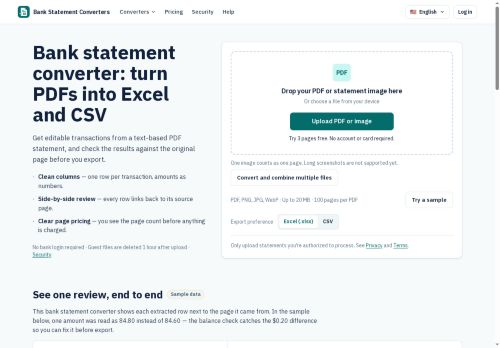
Bank Statement Converter converts PDFs and statement images to reviewed, structured spreadsheets (PDF to Excel and PDF to CSV). It extracts transactions with links to the source page and provides a side-by-side review workspace that highlights balance discrepancies and potential duplicate entries.
The tool runs running-balance checks, flags mismatches for manual correction, and preserves original extracted text alongside editable descriptions. Multiple files can be combined for batch conversion, and exports use a consistent column layout to simplify import mapping.
Uploaded files are subject to configurable retention and automatic deletion, with job history recording deletion times. The tool does not connect to bank accounts or post entries to accounting ledgers.
Key Features
Use Cases
Who is it for?
The tool runs running-balance checks, flags mismatches for manual correction, and preserves original extracted text alongside editable descriptions. Multiple files can be combined for batch conversion, and exports use a consistent column layout to simplify import mapping.
Uploaded files are subject to configurable retention and automatic deletion, with job history recording deletion times. The tool does not connect to bank accounts or post entries to accounting ledgers.
Key Features
- Converts PDFs and statement images to structured spreadsheets (Excel and CSV)
- Extracts transactions with links to the source page
- Side-by-side review workspace highlighting balance discrepancies and potential duplicate entries, preserving original extracted text alongside editable descriptions
- Runs running-balance checks and flags mismatches for manual correction
- Supports batch conversion of multiple files and exports using a consistent column layout for import mapping
Use Cases
- Automate bookkeeping for small businesses by converting batches of PDF and image bank statements into reviewed Excel/CSV files with transaction-level source-page links, duplicate detection, and balance-mismatch flags—ready for import into accounting software
- Prepare audit-ready reconciliations and financial reports by extracting transactions into a side-by-side review workspace that preserves original statement text, highlights discrepancies and duplicates, and exports consistent CSVs for auditors and ERP systems
- Streamline expense management and reimbursements by batch-converting employee-submitted bank screenshots into structured spreadsheets, automatically finding duplicate charges, linking each entry to its source page, and producing clean exports for payroll and expense systems
Who is it for?
- Bookkeepers
- Accountants (including cpas)
- Tax preparers
- Small business owners
- Financial controllers/cfos
- Accounts payable clerks
- Accounts receivable clerks
- Reconciliation specialists
- Auditors
- Accounting software implementers and migration specialists
No review yet!
More Spreadsheets AI Tools
Explore other spreadsheets tools with user ratings, pricing details, and in-depth descriptions. Updated regularly by our editorial team.