
About Blurimage
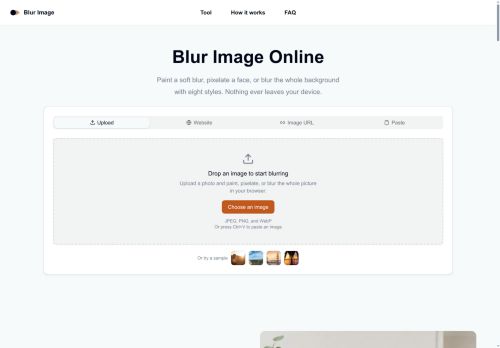
Blur Image Online offers browser-based photo blurring and pixelation with multiple blur modes and a paintbrush tool for selective edits.
It includes eight blur styles, such as gaussian, motion, radial, pixelate, and noise, to achieve different visual effects.
The brush supports adjustable size and strength plus an invert mode to target the background or the subject with a single action.
All processing runs locally in the browser so images are not uploaded to external servers.
Edits can be previewed quickly and exported directly without installing software or creating an account.
Workflow controls include undo, clear, and reselect for iterative editing.
Key Features
Use Cases
Who is it for?
It includes eight blur styles, such as gaussian, motion, radial, pixelate, and noise, to achieve different visual effects.
The brush supports adjustable size and strength plus an invert mode to target the background or the subject with a single action.
All processing runs locally in the browser so images are not uploaded to external servers.
Edits can be previewed quickly and exported directly without installing software or creating an account.
Workflow controls include undo, clear, and reselect for iterative editing.
Key Features
- Multiple blur styles (gaussian, motion, radial, pixelate, noise)
- Paintbrush tool for selective edits with adjustable size, strength, and invert mode
- Local client-side processing in the browser (images are not uploaded to external servers)
- Preview and direct export of edited images without installing software or creating an account
- Workflow controls including undo, clear, and reselect for iterative editing
Use Cases
- Censor sensitive information in photos (faces, license plates, documents) before sharing by using Blur Image Online’s selective blur brush and pixelate/noise modes, adjusting brush size/strength and invert mode for precise masking, previewing edits quickly, undoing mistakes, and exporting locally to keep data private
- Create professional-looking depth-of-field or motion-effect edits for social media and product photography using gaussian, radial, and motion blur styles with adjustable brush strength to emphasize subjects while softening backgrounds — all processed in-browser with instant previews and undo for fast iteration
- Prepare images for presentations, reports, or publications by selectively softening backgrounds, removing distracting elements with the paintbrush, or applying subtle noise/pixelation for stylistic consistency, then export high-quality files locally without uploading to external servers
Who is it for?
- Social media users
- Content creators and influencers
- Journalists and news editors
- Photographers and hobbyists
- Graphic designers and marketers
- Privacy-conscious individuals (redacting faces or sensitive info)
- Small business owners and e-commerce sellers
- Educators and trainers
No review yet!
More Image editing AI Tools
Explore other image editing tools with user ratings, pricing details, and in-depth descriptions. Updated regularly by our editorial team.