
About ML.ai
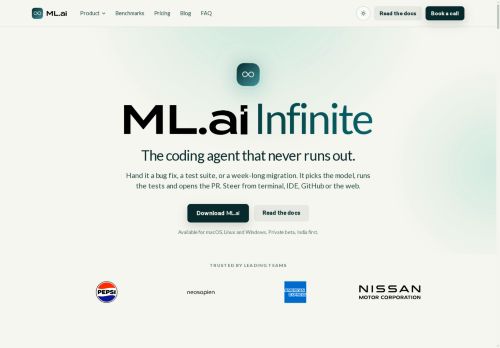
ML.ai routes a code repository into a running deployment environment and can demonstrate the process via a scheduled call. The platform automates repository configuration and environment setup, linking version control to deployment workflows.
It provides real-time logs and monitoring during routing and records configuration steps for reproducibility. Integrations with CI/CD pipelines enable automatic updates when repository changes are pushed. Access controls and rollback options manage deployment state and security.
The system produces deployment artifacts and status reports to track the routing process.
Key Features
Use Cases
Who is it for?
It provides real-time logs and monitoring during routing and records configuration steps for reproducibility. Integrations with CI/CD pipelines enable automatic updates when repository changes are pushed. Access controls and rollback options manage deployment state and security.
The system produces deployment artifacts and status reports to track the routing process.
Key Features
- Routes a code repository into a running deployment environment
- Automates repository configuration and environment setup
- Provides real-time logs and monitoring during routing
- Integrates with CI/CD pipelines to trigger automatic updates on repository pushes
- Offers access controls and rollback options to manage deployment state
Use Cases
- Automate continuous deployment of a web application from a Git repository using ML.ai, linking version control to CI/CD pipelines, monitoring real-time deployment logs and health metrics during rollout, and performing instant rollback when issues are detected
- Package and deploy machine learning models reproducibly with ML.ai, automatically provisioning environments, recording configuration and deployment artifacts for auditability and retraining, while surfacing real-time logs, metrics and post-deployment reports
- Manage multi-environment team deployments with ML.ai, enforce role-based access controls and approval gates, synchronize branches to staging and production with automated environment setup, and retain recorded configurations and artifacts for compliance and troubleshooting
Who is it for?
- Devops engineer
- Site reliability engineer (sre)
- Platform engineer
- Mlops engineer
- Software engineer
- Data scientist
- Release manager
- Qa engineer
- Engineering manager
- Security/devsecops engineer
No review yet!
More Developer tools AI Tools
Explore other developer tools tools with user ratings, pricing details, and in-depth descriptions. Updated regularly by our editorial team.